Edit our 8-Option Infographic Cards PowerPoint Template to highlight the key success metrics for your executive meetings or team sessions. The infographic card is a unique style for outlining information in a visually attractive way. Users from multiple domains can use this template to create simple, easy-to-understand presentations. We have created this template with fully editable PPT elements that grab the audience’s attention and let them communicate their ideas effectively. After brainstorming sessions, you can customize our template to present ideas for strategic initiatives to discuss in stakeholder meetings. Also, this layout is compatible with Google Slides or other versions of Microsoft PowerPoint. You can change the colors, icons, or shapes in our infographic PPT template to suit your needs and align with your theme.
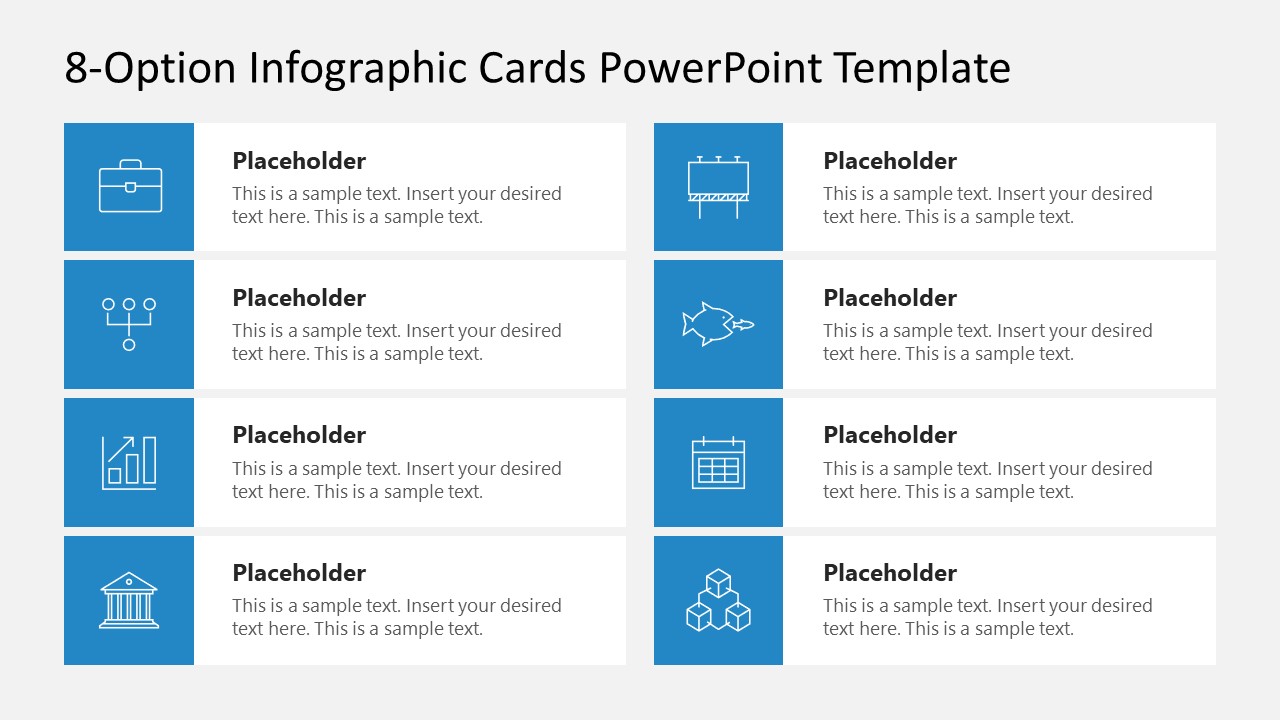
The 8-Option Infographic Cards PowerPoint Template consists of 2 slides. Both have the same design, but the background colors are different: white and dark. The slide shows a 4×2 matrix diagram containing eight horizontally placed rectangular blocks. Each block has a small box-shaped component displaying the icon and a placeholder segment showing the title and description of the key point to be explained. Marketers can discuss various points of their marketing campaign using this PPT layout.
Additionally, it can help HR professionals discuss the requirements of the job role for a specific purpose. Users can also repurpose it to showcase other points, such as components of a business strategy or steps in business process implementation. Download the 8-option infographic card template and insert custom text or icons to create impactful presentations!
What’s inside this template
Example presentation scenarios
- A marketing manager can present eight campaign components to stakeholders using the icon-led card matrix and short description areas.
- An HR partner can explain eight job requirements or role expectations to hiring managers using the equal-width cards as a structured checklist.
- A project manager can summarize eight implementation steps during a kickoff meeting using the two-column layout to keep the discussion organized.
- A consultant can compare eight strategic options for an executive audience by replacing the sample icons and text with decision criteria.
Features
- 100% editable presentation template
- Compatible with Microsoft PowerPoint and Google Slides
- 16:9 aspect ratio slides
- Scalable vector shapes, icons and illustrations
- AI-Ready for Microsoft Copilot and Claude
- Instant access and download
Frequently asked questions
Q: How should a presenter organize content across the eight cards?
A: Use each card for one comparable point, not a long paragraph. Keep the card titles parallel, such as verbs for steps or nouns for options, and limit descriptions to the decision detail the audience needs. The 4x2 grid works best when all eight items carry similar importance.
Q: Who is this template best suited for?
A: This template fits business presenters who need to turn a flat list into a quick visual overview. Marketing teams can show campaign elements, HR teams can list role requirements, and project managers can present implementation points. It is strongest when the goal is clarity, not deep analysis.
Q: Why use card blocks instead of a standard bullet list?
A: The card format gives each point its own visual container, making eight ideas easier to scan and compare. The blue icon tile acts as a visual anchor, while the title and description hierarchy keeps the text predictable. This reduces perceived density compared with one long bullet slide.

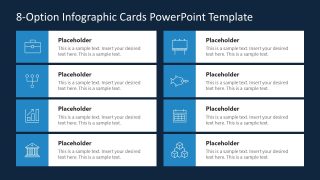
8-Option Infographic Cards PowerPoint Template
2-slide presentation template with 8-option infographic cards, icon tiles, and key point blocks
The 8-Option Infographic Cards PowerPoint Template is a 2-slide infographic deck for presenting eight ideas, steps, options, or criteria. It includes a 4x2 card matrix, icon tiles, title and description placeholders, and light and dark background versions for Microsoft PowerPoint and Google Slides.
- Category
- Multi-purpose
- Rating

 Loading...
- Aspect ratio
- 16:9
- Item ID
- 23539-01
- Colors
 Microsoft PowerPoint
  Microsoft Copilot
  Claude for PowerPoint
 Other formats supported
Subscribe today and get immediate
access to download our PowerPoint templates.