Slide 1 of 2 from 7-Layer IT Security PowerPoint Template
Editable 7-Layer IT Security Presentation Template
7-Layer IT Security Diagram Overview
- Diagram
- Layered Stack
- Strategic Analysis Slide
- 16:9
- 100% Editable
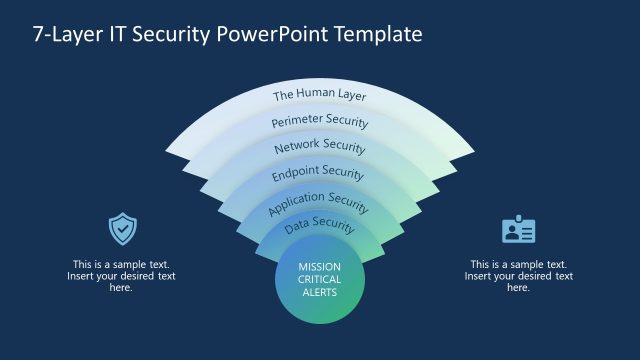
The 7-Layer IT Security Diagram from the 7-Layer IT Security PowerPoint Template offers a clear visual framework for layered cybersecurity strategies. This slide layout uses editable shapes and vector icons to represent each security layer, making it suitable for IT security presentations and corporate presentation slide decks focused on strategic analysis.
What’s on This Slide
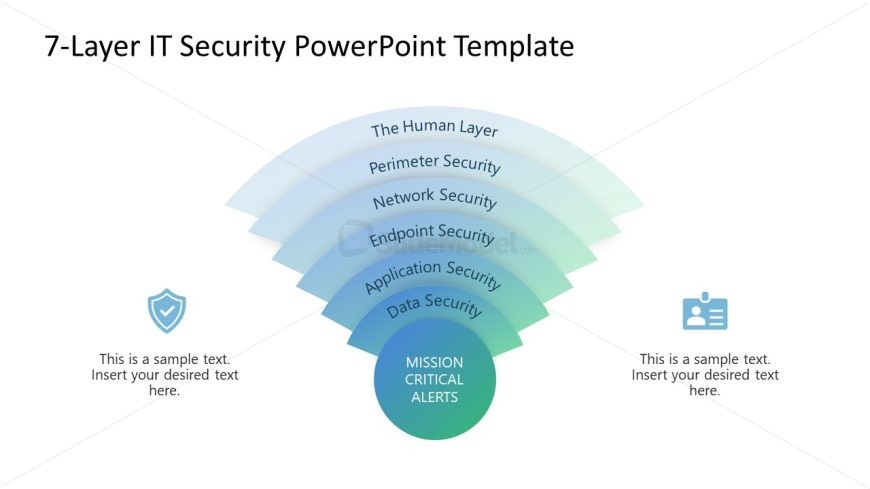
The layout features a layered diagram with seven semi-circular segments arranged in a downward flow. Each layer is labeled with a security aspect, starting from 'The Human Layer' at the top and ending with 'Data Security' at the bottom. A central circular node labeled 'MISSION CRITICAL ALERTS' is positioned at the bottom center. There are two text placeholders on either side of the diagram, aligned vertically. The background is light, and the color scheme transitions from light blue to green, creating a gradient effect.
How to Use It
This layout serves as a layered diagram to illustrate the components of IT security. It is effective for presenting a structured overview of security layers in a cybersecurity context. Suitable for discussions on security strategies, it can be used in presentations that require a clear visual representation of multi-layered security systems. This layout fits well after a problem statement slide and before a detailed analysis or roadmap.
Text Placeholders & Capacity
Keep your copy within these limits so it fits without resizing. Node labels can accommodate roughly 5-6 words each.
| Placeholder | Count | Max characters (approx.) |
|---|---|---|
| Slide title | 1 | 40 |
| Item heading | 7 | 30 |
| Item body | 2 | 50 |
| Callout | 1 | 30 |
Slide Keywords
Download unlimited PowerPoint templates, charts and graphics for your presentations with our annual plan.
DOWNLOADReturn to 7-Layer IT Security PowerPoint Template.