7-Layer IT Security PowerPoint Template
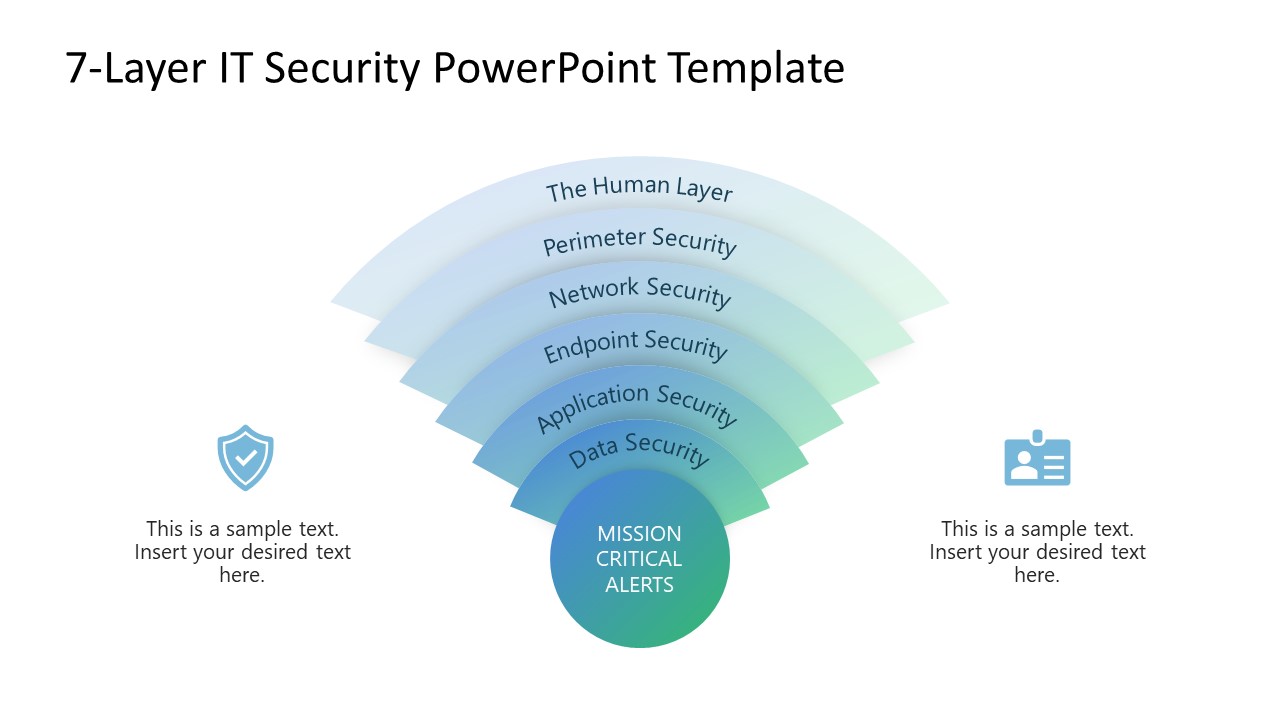
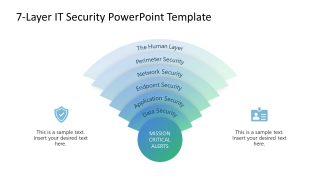
Present the layered approach to the company’s cybersecurity measures with our compelling 7-Layer IT Security PowerPoint Template in your decision-making sessions. IT infrastructure is a complex system, and if not appropriately protected, it is prone to hacking attempts, phishing, and other cyberattacks. To preserve this network, professionals use a 7-layer IT security framework to ensure data security. The template diagram can be used to mention expansion, i.e., how something grows outward from the central source. You can also download this template to present hierarchical layers, with a central core element and successively larger contextual rings. Professionals can also use this template to show progression, with each arc representing advancement from the core outward. Cybersecurity experts, engineers, or IT professionals can show the following seven layers for the IT security in their team meetups:
- Mission Critical Alerts
- Data security
- Application Security
- Endpoint security
- Network Security
- Perimeter Security
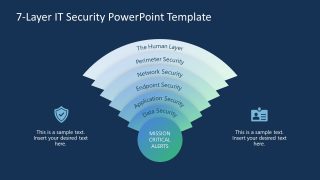
Project managers can visualize multiple levels or tiers, for instance, different layers of capability, maturity, or intensity, using our diagram. The 7-Layer IT Security PowerPoint Template features a radial layered arc diagram created using 100% editable PowerPoint components. At the basal layer, there is a small circular shape depicting the central-most layer. All layers contain editable text for the IT security layer name. On the left and right, we have provided infographics with text sections to highlight key points in the presentation. Our 7-layer security diagram template has two slides: the first slide uses a gradient color for the diagram over a white background, while the second slide uses a dark blue background, making the layered diagram more prominent. Moreover, professionals can modify the colors or shapes to fit their needs perfectly. Download the 7-layer IT security template and customize it now!

You must be logged in to download this file.
DOWNLOAD- Category
- Diagrams
- Rating

 Loading...
- Size
- 16x9
- Item ID
- 23351-01
- Colors
Subscribe today and get immediate
access to download our PowerPoint templates.