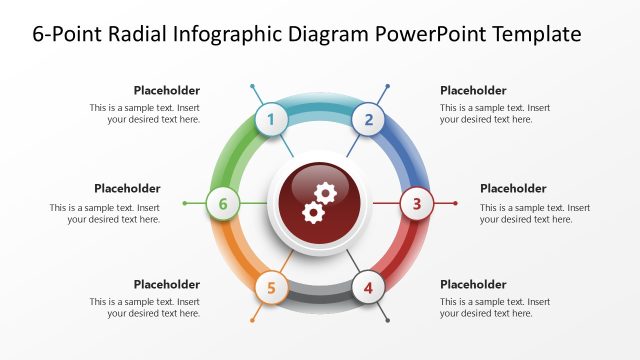
Slide 2 of 7 from 6-Point Radial Infographic PowerPoint Template
6-Point Radial Infographic PowerPoint Slide
6-Point Radial Infographic Diagram
- Diagram
- Radial Hub
- Process Slide
- 16:9
- 100% Editable
The 6-Point Radial Infographic slide from the 6-Point Radial Infographic PowerPoint Template offers a clear visual layout ideal for business presentations and strategic planning. This slide template uses editable shapes arranged radially around a central node, making it effective for illustrating interconnected processes or project overviews. Its design supports educational content delivery and can be integrated seamlessly into slide decks requiring a structured, professional diagram format.
What’s on This Slide
The layout features a central circular node with gears, surrounded by six equally spaced circular nodes. Each node contains a placeholder for text, numbered 1 through 6, arranged in a radial pattern. The central node is visually prominent, with a darker color than the outer nodes. Connecting lines extend from the central node to each outer node, indicating a relationship. The background is light, enhancing the visibility of the elements. The placeholders are aligned centrally within each node, maintaining a consistent visual hierarchy throughout the design.
How to Use It
This layout serves as a radial diagram, effectively illustrating six key points or steps in a process. It is suitable for presentations that require a clear visual representation of interconnected ideas. This slide fits well in a sequence following an introduction or problem statement, transitioning into detailed explanations. It is ideal for business scenarios such as project overviews, strategic planning, or educational contexts where multiple components need to be highlighted in relation to a central theme.
Text Placeholders & Capacity
Keep your copy within these limits so it fits without resizing. Node body slots can hold roughly 15-20 words each.
| Placeholder | Count | Max characters (approx.) |
|---|---|---|
| Item heading | 6 | 30 |
| Item body | 6 | 100 |
| Slide title | 1 | 60 |
Slide Keywords
Download unlimited PowerPoint templates, charts and graphics for your presentations with our annual plan.
DOWNLOAD