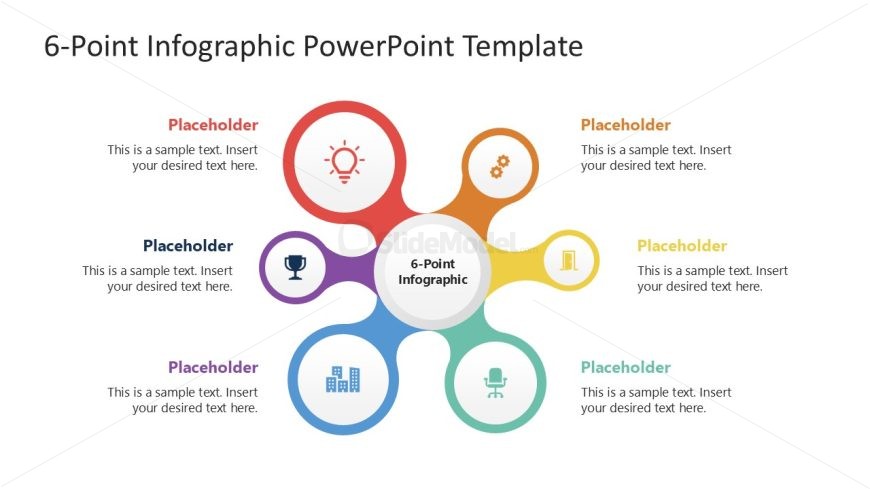
Slide 4 of 4 from 6-Point Infographic PowerPoint Template
6-Point Infographic PPT Layout
6-Point Infographic Overview Slide
- Diagram
- Other
- Context Slide
- 16:9
- 100% Editable
The 6-Point Infographic slide layout from the 6-Point Infographic PowerPoint Template offers a clear visual format to summarize key points or stages in a process. This slide design, featuring editable shapes and vector icons arranged in a radial pattern, supports effective communication in business presentations and pitch decks. It is ideal for showcasing metrics, highlighting features, or outlining steps with a focus on clarity and visual hierarchy within professional slide decks.
What’s on This Slide
The layout features a central circle labeled '6-Point Infographic' surrounded by six equally sized circles. Each circle contains a placeholder for text, with icons positioned above the text placeholders. The circles are arranged in a radial pattern, with three on the top and three on the bottom. The background is white, allowing the colorful circles to stand out. The icons represent various concepts, such as ideas, achievements, and data. The visual hierarchy emphasizes the central circle, making it the focal point of the slide.
How to Use It
This layout serves as a visual representation of six related points or stages in a process. It is suitable for summarizing key concepts, steps, or metrics in a presentation. This slide fits well in a sequence after introducing a problem or topic, providing a clear overview of the main ideas. It can be used in business contexts such as project updates, strategic planning, or performance reviews, where concise communication of multiple elements is essential.
Text Placeholders & Capacity
Keep your copy within these limits so it fits without resizing. Node body slots can hold about 40 characters each.
| Placeholder | Count | Max characters (approx.) |
|---|---|---|
| Item body | 6 | 40 |
| Slide title | 1 | 30 |
Slide Keywords
Download unlimited PowerPoint templates, charts and graphics for your presentations with our annual plan.
DOWNLOADReturn to 6-Point Infographic PowerPoint Template.