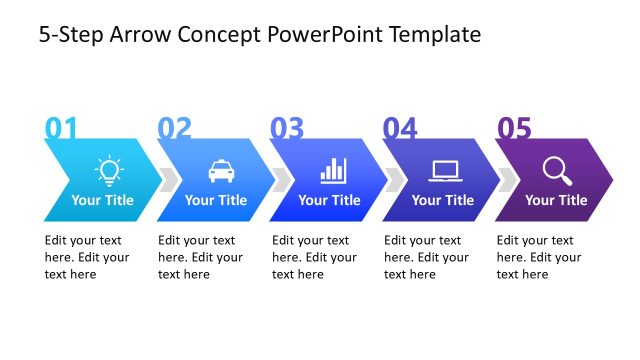
Slide 1 of 6 from 5 Steps Flow Concept PowerPoint Arrows
4 Steps PowerPoint Roadmap Template
5 Steps Flow Concept PowerPoint Arrows
- Diagram
- Arrow Sequence
- Process Slide
- 16:9
- 100% Editable
What’s on This Slide
The layout features five triangular arrow shapes arranged horizontally. Each arrow contains a number from 01 to 05, positioned in the top left corner of each shape. Below each number is a title placeholder aligned centrally, followed by three text placeholders for additional content. The arrows are colored in a gradient from orange to green, with a white background. Icons representing different concepts are placed within the arrows, enhancing visual hierarchy. The overall composition is structured to guide the viewer's eye from left to right, indicating a flow of steps.
How to Use It
This layout serves as a step-by-step process diagram, ideal for illustrating sequential actions or milestones. It fits well at the beginning of a presentation to outline key phases or objectives. Business scenarios include project timelines, product development stages, or strategic planning processes. This structure allows for clear communication of complex ideas in a simplified manner, making it suitable for both internal and external presentations.
Text Placeholders & Capacity
Keep your copy within these limits so it fits without resizing. Node body slots can hold roughly 15-20 words each.
| Placeholder | Count | Max characters (approx.) |
|---|---|---|
| Item heading | 5 | 20 |
| Item body | 5 | 100 |
| Slide title | 1 | 40 |
Slide Keywords
Download unlimited PowerPoint templates, charts and graphics for your presentations with our annual plan.
DOWNLOADReturn to 5 Steps Flow Concept PowerPoint Arrows.