Share your project flows in the team meetings with our simple 5-Step Linear Process Flow to Right PowerPoint Template. Modern process diagrams make it easier for professionals to communicate their execution strategies and action plans in meetings. Our 5-step liner process diagram has fully editable PowerPoint elements. You can also customize the design with Google Slides and Keynote. Professionals can use our template in various ways. Some of these use cases are:
- During employee training sessions, users can demonstrate how to implement digital transformation in the company.
- The simplicity of the diagram enables users to visualize the change management process interactively.
- Project managers can use this simple diagram template to showcase the steps of the project life cycle and allow teams to comprehend the situation efficiently.
- You can also present the phases of workflow automation and marketing campaigns.
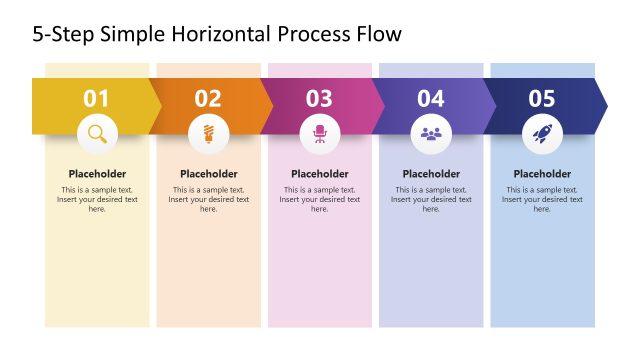
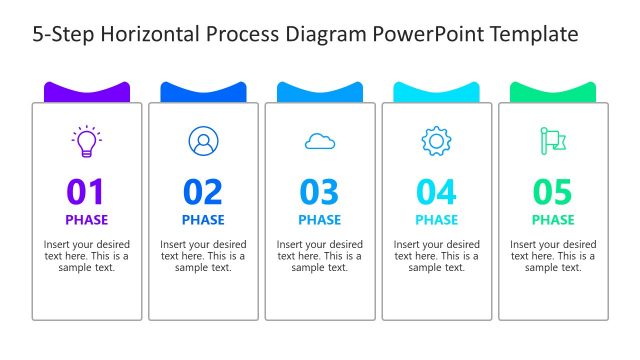
The 5-Step Linear Process Flow to Right PowerPoint Template is a single slide template that contains the main process diagram. The diagram has five vertically placed rectangles displaying the title text of phases one, two, three, and so on. Below it, we have provided a placeholder text for a description and an infographic icon relevant to the point. Moreover, simple arrow shapes are attached to each shape, directing the flow of the process. All the arrows have distinct colors that grab the audience’s attention and allow professionals to convey their workflow steps comprehensively. In addition, you can change the icons, shapes, and other attributes of the template to fit your needs perfectly. You can also repurpose the template and change the direction of the arrows based on your needs. Download the 5-step linear process flow template and personalize it today.
What’s inside this template
Example presentation scenarios
- A project manager can present a project life cycle to a delivery team, using the five phase cards to show sequence, responsibilities, and expected handoffs.
- A training manager can explain a digital transformation rollout to employees, using the rightward arrows to show how each step leads to the next action.
- A consultant can summarize a change management plan for executives, using the phase titles and bottom text area to connect milestones with business outcomes.
- A marketing lead can outline campaign execution phases, using the editable icons and descriptions to distinguish planning, launch, measurement, and optimization tasks.
Features
- 100% editable presentation template
- Compatible with Microsoft PowerPoint and Google Slides
- 16:9 aspect ratio slides
- Scalable vector shapes, icons and illustrations
- AI-Ready for Microsoft Copilot and Claude
- Instant access and download
Frequently asked questions
Q: How should a presenter communicate the process clearly with this slide?
A: Lead the audience from left to right and keep each phase title action oriented. Use the short text blocks for one key responsibility or outcome per phase, not long explanations. The bottom text area works best as a summary of the overall workflow, decision point, or expected result after Phase 05.
Q: Who is this template best suited for in a business presentation?
A: This template is best for presenters who need to explain a fixed sequence in one slide, such as project managers, operations leads, trainers, and consultants. It fits workflows with exactly five major stages, especially when the audience needs a quick process overview before discussing owners, timing, or detailed tasks.
Q: Why does the rightward arrow and card design work for a process message?
A: The rightward arrows create a simple progress metaphor, making the audience read the slide as a forward-moving workflow. The raised cards separate each step, while icons add quick visual anchors. This combination reduces confusion because the viewer can scan phase number, description, and icon in a repeated pattern.


5-Step Linear Process Flow to Right PowerPoint Template
1-slide presentation template with a 5-step process flow, phase cards, and rightward arrows
The 5-Step Linear Process Flow to Right PowerPoint Template is a 1-slide process diagram for Microsoft PowerPoint and Google Slides. It shows five phase cards, rightward arrow connectors, icon placeholders, and a closing text area for describing a workflow, project sequence, change plan, or management process.
- Category
- Process Diagrams
- Rating

 Loading...
- Aspect ratio
- 16:9
- Item ID
- 22909-01
- Colors
 Microsoft PowerPoint
 Microsoft Copilot
 Claude for PowerPoint
Other formats supported
Subscribe today and get immediate
access to download our PowerPoint templates.