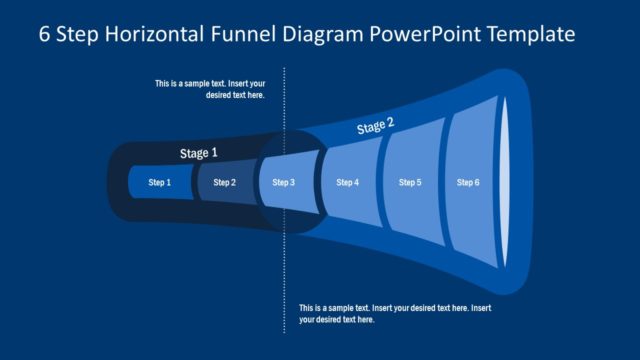
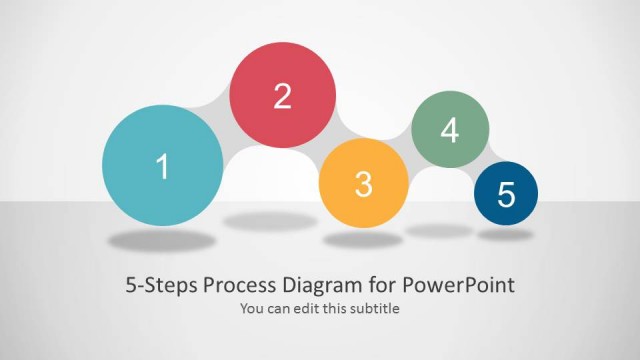
The 5 Stage Process Flow Diagram for PowerPoint is a horizontal funnel analysis template for outstanding sales and marketing presentations. This is a unique diagram of funnel process which displays filtering of data as colorful bubbles in flat stages. The 5 stage PowerPoint presentation also show the input and output of data analysis process. Although the direction of chevron arrow icons helps visualize the flow of PowerPoint diagram. The vector design however, demonstrates the outcome of funnel analysis. It shows the objective of 5 stage process flow diagram as the box of product. Therefore, the presenters can describe the product box image as the objective of performing activities in the funnel model. Further, this PowerPoint is also useful in presenting an activity which disrupts the smooth flow of operations.
The stunning template of 5 Stage Process Flow Diagram for PowerPoint is a planning and decision-making presentation. This enables the brainstorming activity to analyze range of ideas and opportunities. Here, the team can filter out unnecessary or unfeasible options at every step according to the constrains. For example, depending on cost, time, quality or scope in addition to profitability. Moreover, the template of 5 stage process flow funnel can represent the effort and monitoring require in each phase to achieve a desire outcome. The process flow diagram template has six slides of 5 stage PowerPoint to highlight each segment individually. Additionally, each stage slide has placeholders to insert important textual content.
The process flow diagram template of 5 stage PowerPoint has many useful applications. Such as, demonstrating sales, lead generation process, marketing strategies etc. Hence, the 5 stages diagram presentation of horizontal funnel produce the graphic illustration of continuous flow and product bas analysis. Furthermore, the editing feature of this funnel PowerPoint diagram provides users with various customization options. Also, check out more funnel diagram templates available in SlideModel PowerPoint collection.
What’s inside this template
Example presentation scenarios
- A sales leader can present a lead qualification path by using the horizontal funnel overview to show how prospects move from broad input to a smaller final output.
- A marketing manager can explain campaign filtering by assigning each stage focus diagram to awareness, screening, nurturing, qualification, and handoff steps.
- A business analyst can guide a planning workshop by using the colored dots and stage bands to discuss which ideas, risks, or options are removed at each gate.
- An operations manager can describe a review process by mapping incoming requests to the input arrows and using the output box icon to define the expected result.
Features
- 100% editable presentation template
- Compatible with Microsoft PowerPoint and Google Slides
- 16:9 aspect ratio slides
- Scalable vector shapes, icons and illustrations
- AI-Ready for Microsoft Copilot and Claude
- Instant access and download
Frequently asked questions
Q: How should a presenter explain the five-stage funnel without making it feel repetitive?
A: Start with the overview slide to define the full input-to-output path, then use the stage focus slides only for the points that need discussion. Treat each colored dot cluster as evidence of filtering or selection. Keep the center text short, and explain what changes, what is removed, and what moves forward at each stage.
Q: Who is this template best suited for in a business presentation?
A: This template fits presenters who need to show progressive narrowing, such as sales teams explaining lead qualification, marketers describing campaign selection, or analysts filtering ideas during planning. It works best when the audience must understand why fewer items remain after each stage and what final outcome the process is designed to produce.
Q: Why does the tapered funnel metaphor help communicate the process?
A: The funnel shape makes reduction visible before the presenter explains it. Wide input on the left signals volume, while the narrowing body and smaller dot groups show selection, screening, or loss. The output box icon gives the audience a clear endpoint, so the diagram supports both process logic and decision discipline.


5 Stage Process Flow Diagram for PowerPoint
6-slide presentation template with horizontal funnel process flow and lead generation stages
The 5 Stage Process Flow Diagram for PowerPoint is a 6-slide diagram template for explaining filtered workflows, sales funnels, and lead generation paths. It includes a five-stage horizontal funnel overview, individual stage focus diagrams, input arrows, output box icon, and text placeholders for Microsoft PowerPoint and Google Slides.
- Category
- Diagrams
- Rating

 Loading...
- Aspect ratio
- 16:9, 4:3
- Item ID
- 7655-01
- Colors
 Microsoft PowerPoint
 Microsoft Copilot
 Claude for PowerPoint
Other formats supported
Subscribe today and get immediate
access to download our PowerPoint templates.