Slide 2 of 2 from 5-Level Pyramid Layout PowerPoint Template
5-Level Pyramid Layout Presentation Template
5-Level Pyramid Layout for Presentations
- Diagram
- Layered Stack
- Process Slide
- 16:9
- 100% Editable
The 5-Level Pyramid Layout slide from the 5-Level Pyramid Layout PowerPoint Template offers a clear, layered stack diagram ideal for illustrating multi-phase processes or strategic frameworks. This slide uses editable shapes and vector icons to visually represent five hierarchical levels, making it suitable for business presentations and corporate slide decks that require structured process visualization.
What’s on This Slide
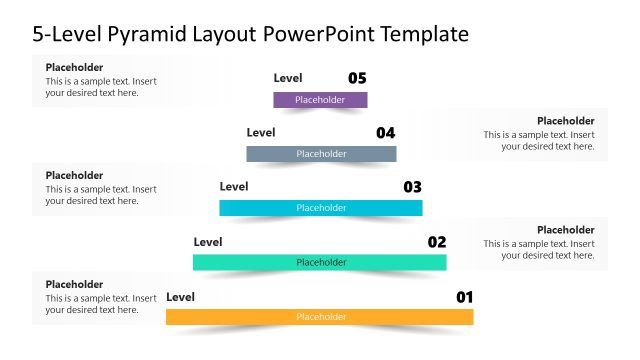
The slide features a vertical pyramid structure with five distinct levels. Each level is represented by a horizontal bar, aligned centrally, with varying colors. The top level is labeled '05' in a purple bar, followed by '04' in gray, '03' in teal, '02' in light teal, and '01' in orange. Each level includes a text placeholder for titles and descriptions, positioned to the left of the bars. The background is white, enhancing visibility. The overall layout emphasizes a clear hierarchy from top to bottom.
How to Use It
This layout serves as a multi-level diagram to illustrate processes or concepts with five stages. It is suitable for business presentations to depict frameworks, strategies, or project phases. Positioned as a concluding slide, it can summarize key points or outline steps in a process. This structure can be used in training sessions, project updates, or strategic planning meetings to convey complex information in a simplified manner.
Text Placeholders & Capacity
Keep your copy within these limits so it fits without resizing. Node body slots are tight, roughly 10 words each.
| Placeholder | Count | Max characters (approx.) |
|---|---|---|
| Item heading | 5 | 20 |
| Item body | 5 | 50 |
Slide Keywords
Download unlimited PowerPoint templates, charts and graphics for your presentations with our annual plan.
DOWNLOADReturn to 5-Level Pyramid Layout PowerPoint Template.