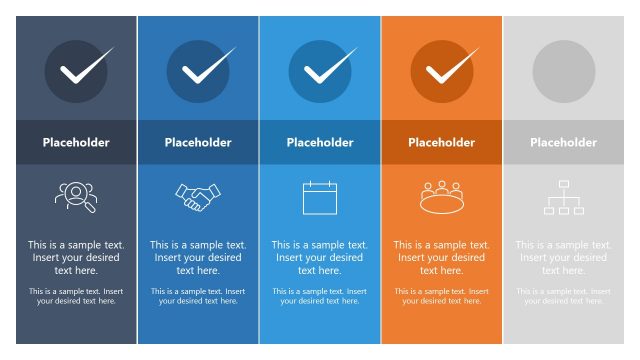
Slide 2 of 4 from 4-Item Infographic Wavy Concept PowerPoint Template
Editable 4-Item Infographic Wavy Concept Presentation Layout
4-Item Wavy Process Diagram for Presentations
- Diagram
- Comparison Split
- Process Slide
- 16:9
- 100% Editable
The 4-Item Wavy Process Diagram slide from the 4-Item Infographic Wavy Concept PowerPoint Template offers a clear layout for illustrating sequential business processes or project phases. This slide utilizes editable shapes and vector icons arranged in four distinct columns, making it suitable for corporate presentations and pitch deck templates that require structured comparison of ideas or strategies.
What’s on This Slide
The layout features four vertical columns, each with a rounded top and bottom. The leftmost column has a dark background with a gear icon, followed by a light blue column with a door icon. The third column is orange with a light bulb icon, and the rightmost column is green with a diamond icon. Each column contains multiple text placeholders aligned vertically, with checkmarks preceding each placeholder. The visual hierarchy emphasizes the icons at the top of each column, while the text placeholders are centered below them, creating a structured flow across the slide.
How to Use It
This layout serves as a four-step process diagram, ideal for presenting sequential business concepts or workflows. It fits well in a presentation sequence after a problem statement and before a detailed analysis. Suitable scenarios include explaining project phases, marketing strategies, or educational content. The clear separation of columns allows for easy comparison of different steps or ideas, making it effective for managers, educators, and consultants.
Text Placeholders & Capacity
Keep your copy within these limits so it fits without resizing. Each body slot holds roughly 10 words, while labels can accommodate about 4 words.
| Placeholder | Count | Max characters (approx.) |
|---|---|---|
| Item body | 4 | 50 |
| Item heading | 4 | 20 |
| Footer | 4 | 60 |
Slide Keywords
Download unlimited PowerPoint templates, charts and graphics for your presentations with our annual plan.
DOWNLOADReturn to 4-Item Infographic Wavy Concept PowerPoint Template.