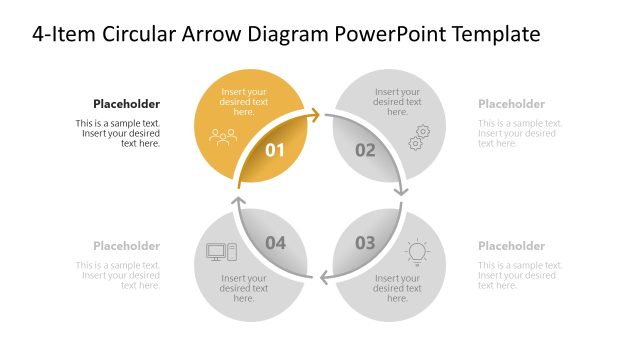
Slide 6 of 6 from 4-Item Circular Arrows Infographic PowerPoint Diagram Template
Focus Effect for Step 4 – 4-Item Circular Arrows Infographic Template
4-Item Circular Arrows Infographic Diagram
- Diagram
- Circular Cycle
- Process Slide
- 16:9
- 100% Editable
The 4-Item Circular Arrows Infographic slide from the 4-Item Circular Arrows Infographic PowerPoint Diagram Template offers a clear visual for illustrating sequential processes or project phases. This slide layout, featuring editable shapes and vector icons arranged in a circular flow, supports business presentations and pitch decks by highlighting key steps with a distinctive color emphasis. It integrates well into corporate presentations requiring a professional depiction of workflows or product features using versatile slide templates.
What’s on This Slide
The layout features a circular diagram divided into four segments, each containing a placeholder for text. The segments are arranged in a clockwise direction, with the fourth segment highlighted in a gold color. Each segment has an icon representing different concepts, positioned above the text placeholders. The central area contains a larger placeholder for additional text. The background is predominantly white, enhancing the clarity of the diagram. The visual hierarchy emphasizes the highlighted segment, while the other segments maintain a neutral tone.
How to Use It
This layout serves as a circular process diagram, ideal for illustrating sequential steps or phases in a project. It fits well in presentations discussing workflows, project timelines, or product features. The highlighted segment can indicate a key focus area, while the other segments provide supporting information. This structure is useful for business meetings, training sessions, or marketing presentations where a clear visual representation of a process is needed.
Text Placeholders & Capacity
Keep your copy within these limits so it fits without resizing. Node body slots can hold about 40 characters each, while the central body can hold around 100 characters.
| Placeholder | Count | Max characters (approx.) |
|---|---|---|
| Item body | 4 | 40 |
| Item heading | 4 | 2 |
| Body paragraph | 1 | 100 |
Slide Keywords
Download unlimited PowerPoint templates, charts and graphics for your presentations with our annual plan.
DOWNLOADReturn to 4-Item Circular Arrows Infographic PowerPoint Diagram Template.