Slide 1 of 5 from 3D Tetris Cube PowerPoint Diagram
3D Tetris Cube Diagram of PowerPoint
3D Tetris Cube PowerPoint Diagram
- Diagram
- Matrix Quadrant
- Process Slide
- 16:9
- 100% Editable
What’s on This Slide
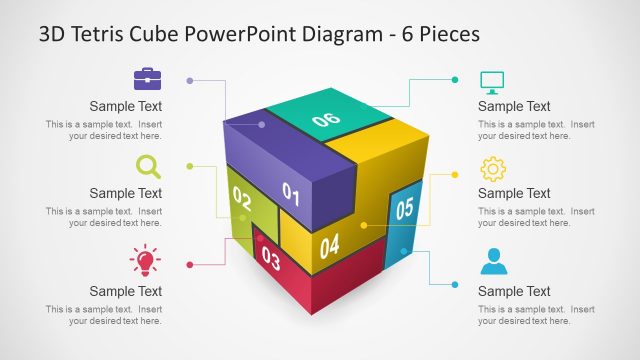
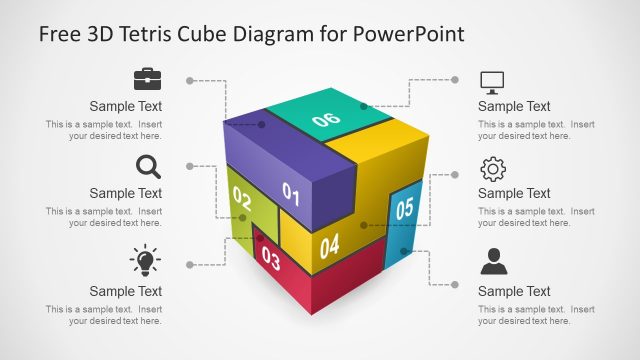
The slide features a 3D Tetris cube divided into four colored segments, each labeled with numbers 01 to 04. The segments are arranged in a way that creates depth, with the top segment in light blue, the right in orange, the bottom in red, and the left in dark blue. Each segment has a corresponding text placeholder positioned nearby, aligned to the left, right, top, or bottom. The background is a light gradient, enhancing the cube's visibility. The overall layout emphasizes the cube's three-dimensional structure, with clear visual hierarchy among the segments.
How to Use It
This layout serves as a visual representation of a process or concept divided into four key components. It fits well in presentations that aim to explain steps, phases, or categories. Ideal for business scenarios such as project management, strategic planning, or product development, this diagram can effectively communicate complex ideas in a simplified manner. It is best positioned early in a presentation to introduce new concepts or frameworks, allowing for deeper exploration in subsequent slides.
Text Placeholders & Capacity
Keep your copy within these limits so it fits without resizing. Node body slots can hold roughly 10 words each.
| Placeholder | Count | Max characters (approx.) |
|---|---|---|
| Item heading | 4 | 2 |
| Item body | 4 | 50 |
| Slide title | 1 | 30 |
Slide Keywords
Download unlimited PowerPoint templates, charts and graphics for your presentations with our annual plan.
DOWNLOADReturn to 3D Tetris Cube PowerPoint Diagram.