Slide 7 of 7 from 3D Jigsaw Piece Shapes for PowerPoint
4 Puzzle Pieces Layout Template for PowerPoint
3D Jigsaw Diagram with Editable Text Boxes
- Diagram
- Matrix Quadrant
- Process Slide
- 16:9
- 100% Editable
The 3D Jigsaw Diagram with Text Boxes slide from the 3D Jigsaw Piece Shapes for PowerPoint template offers a clear visual framework for illustrating teamwork and process steps. This slide layout features editable shapes arranged as colorful puzzle pieces, ideal for corporate presentations and business presentation slide decks that require a strategic overview or project component breakdown.
About This Slide
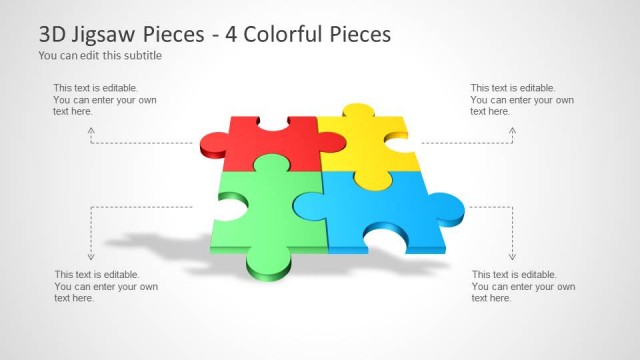
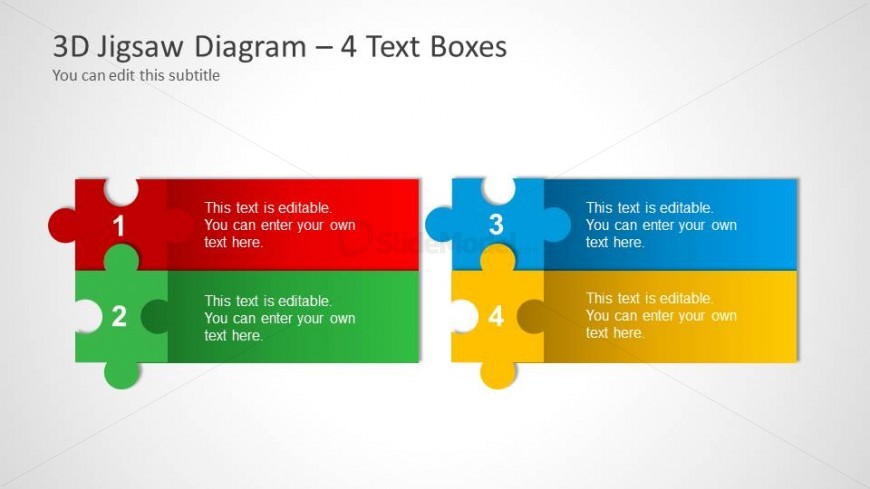
This PowerPoint slide shows four 3D jigsaw puzzle pieces in vibrant colors – red, green, blue, and yellow. Use the slide design to emphasize the need for compatibility between the workers in the world of business. Establishing a good relationship inside the organization improves the performance of the company.
This PowerPoint template may be used to list down possible actions that may help build camaraderie in the organization and improve employee compatibility. Brief explanation for each puzzle piece in the slide may be added in the text placeholders. All features of this PowerPoint slide is 100% customizable, and may be tailored to fit the presenter’s need.
What’s on This Slide
The slide features a 3D jigsaw diagram divided into four sections, each represented by a colorful puzzle piece. The layout includes two rows, with the first row containing a red piece on the left and a blue piece on the right. The second row has a green piece on the left and a yellow piece on the right. Each piece has an editable text placeholder positioned centrally, allowing for custom text input. The overall background is a light gray, enhancing the visibility of the jigsaw pieces, which have rounded edges and a slight shadow for depth.
How to Use It
This layout serves as a visual representation of components or ideas that fit together, making it suitable for presentations on teamwork, strategy, or project components. It can be effectively used in a sequence following a problem statement to illustrate solutions or collaborative efforts. The four text boxes allow for clear labeling of each section, making it ideal for summarizing key points or steps in a process. This structure is beneficial in business meetings, educational settings, or workshops where collaboration is emphasized.
Text Placeholders & Capacity
Keep your copy within these limits so it fits without resizing. Each text box can hold a moderate amount of text, roughly 15-20 words.
| Placeholder | Count | Max characters (approx.) |
|---|---|---|
| Item heading | 4 | 30 |
| Item body | 4 | 100 |
| Slide title | 1 | 50 |
| Subtitle | 1 | 50 |
Slide Keywords
Download unlimited PowerPoint templates, charts and graphics for your presentations with our annual plan.
DOWNLOADReturn to 3D Jigsaw Piece Shapes for PowerPoint.