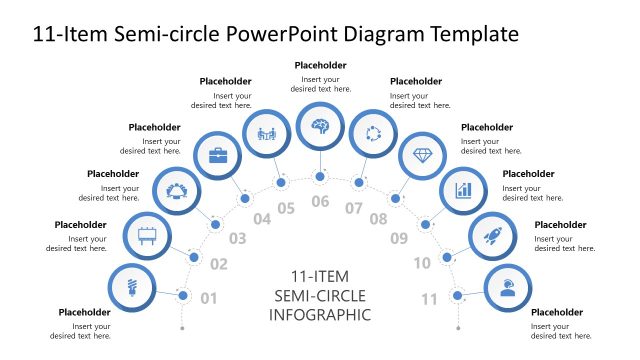
Slide 2 of 3 from 12-Item Semi-circle Infographic PowerPoint Diagram Template
Customizable 12-Item Semi-circle Infographic PPT Layout
12-Item Semi-Circle Infographic Diagram
- Diagram
- Circular Cycle
- Process Slide
- 16:9
- 100% Editable
The 12-Item Semi-Circle Infographic slide from the 12-Item Semi-circle Infographic PowerPoint Diagram Template offers a clear visual layout for illustrating twelve-step processes or project phases. This diagram slide uses editable shapes and vector icons arranged in a semi-circle to enhance workflow representation, making it suitable for business presentations and corporate slide decks that require structured process visualization.
What’s on This Slide
The layout features a semi-circle diagram with twelve evenly spaced circular nodes arranged along the arc. Each node contains a placeholder for text, with the node numbers displayed prominently. The central area includes a bold title stating '12-ITEM SEMI-CIRCLE INFOGRAPHIC.' The nodes are color-coded, with icons representing different concepts. The visual hierarchy emphasizes the title at the center, while the numbered nodes guide the viewer's attention around the semi-circle. Background colors are neutral, enhancing the visibility of the nodes and text placeholders.
How to Use It
This layout serves as a visual representation of a twelve-step process or phases in a project. It is suitable for presentations that require a clear, sequential display of information, such as project milestones or stages in a workflow. This diagram fits well in a presentation sequence after introducing a problem and before detailing solutions or strategies. It can be used in business contexts to outline processes, methodologies, or timelines effectively.
Text Placeholders & Capacity
Keep your copy within these limits so it fits without resizing. Node labels can accommodate roughly 30 characters each.
| Placeholder | Count | Max characters (approx.) |
|---|---|---|
| Item heading | 12 | 30 |
| Slide title | 1 | 50 |
Slide Keywords
Download unlimited PowerPoint templates, charts and graphics for your presentations with our annual plan.
DOWNLOADReturn to 12-Item Semi-circle Infographic PowerPoint Diagram Template.