Slide 1 of 2 from 10-Item Two-Sided Radial Infographic PowerPoint Template
Editable 10-Item Radial Infographic Presentation Template
Two-Sided Radial Infographic Template
- Diagram
- Radial Hub
- Comparison Slide
- 16:9
- 100% Editable
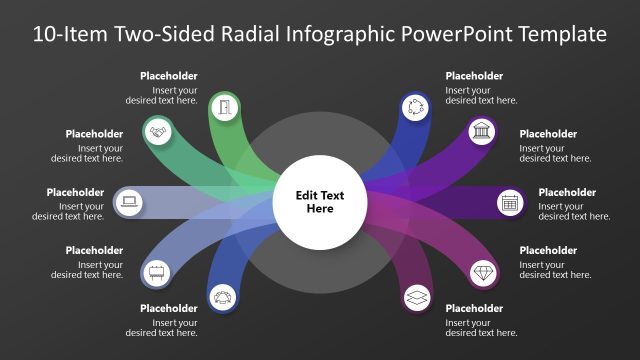
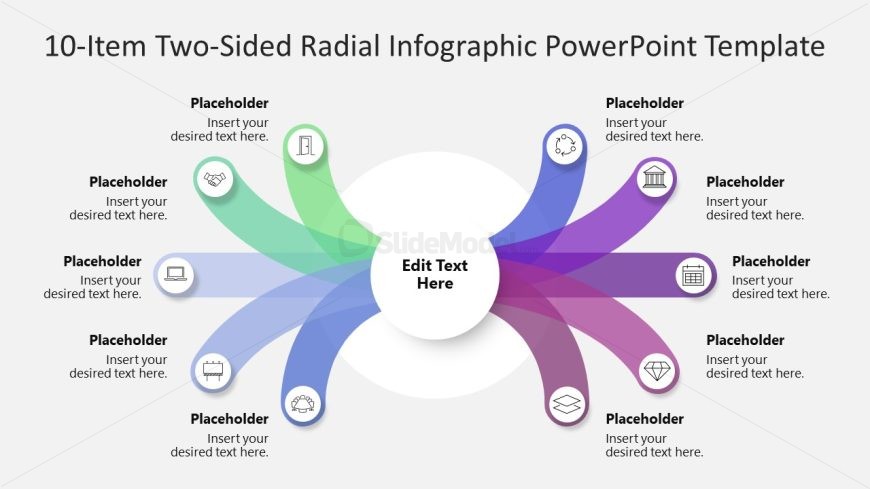
The Two-Sided Radial Diagram slide from the 10-Item Two-Sided Radial Infographic PowerPoint Template offers a clear visual comparison tool ideal for business presentations. This slide layout features editable shapes and vector icons arranged symmetrically to facilitate side-by-side analysis of strategies or product features. It integrates seamlessly into slide decks focused on project phases or corporate presentations, enhancing clarity and audience engagement with its balanced radial design.
What’s on This Slide
The layout features a central circular node labeled 'Edit Text Here' surrounded by ten radial branches. Five branches extend from the left and five from the right, each containing a circular icon and a text placeholder. The icons are positioned at the end of each branch, while the corresponding text placeholders are aligned to the right of each icon. The branches are colored in shades of green and purple, creating a visual contrast against a light background. The overall composition is symmetrical, emphasizing the central node.
How to Use It
This layout serves as a two-sided radial diagram, ideal for comparing two sets of information or processes. It fits well in presentations discussing business strategies, product features, or project phases. This structure allows for clear visual differentiation between two categories while maintaining a cohesive design. It is suitable for scenarios where visual representation of parallel concepts is needed, enhancing audience understanding and engagement.
Text Placeholders & Capacity
Keep your copy within these limits so it fits without resizing. Node body slots can hold about 30 characters each.
| Placeholder | Count | Max characters (approx.) |
|---|---|---|
| Item body | 10 | 30 |
| Slide title | 1 | 30 |
Slide Keywords
Download unlimited PowerPoint templates, charts and graphics for your presentations with our annual plan.
DOWNLOADReturn to 10-Item Two-Sided Radial Infographic PowerPoint Template.