Slide 1 of 6 from 1 Input 5 Output Right Arrows Slide PowerPoint Template
1 Input 5 Output Right Arrows Slide Presentation Template
1 Input 5 Output Right Arrows Slide Infographic
- Diagram
- Arrow Sequence
- Process Slide
- 16:9
- 100% Editable
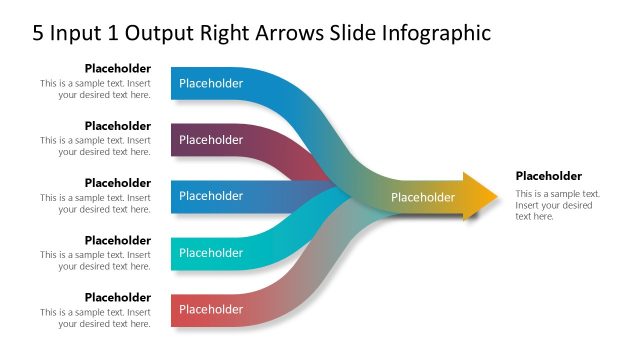
The 1 Input 5 Output Infographic slide from the 1 Input 5 Output Right Arrows Slide PowerPoint Template offers a clear process mapping layout with editable shapes and vector icons. This slide template is designed for business presentations and project planning, featuring a central input node with five distinct output arrows to illustrate workflows and decision-making paths effectively within a corporate presentation or pitch deck template.
What’s on This Slide
The layout features a central input node on the left, leading to five output arrows extending to the right. Each arrow is a different color, creating a visual distinction among them. The arrows are curved, indicating flow from the input to the outputs. There are text placeholders positioned along each arrow, aligned to the right, allowing for descriptive content. The title is prominently placed at the top center, while additional placeholders are located beneath the input node. The background is light, enhancing the contrast with the arrows.
How to Use It
This layout serves as a process flow diagram, illustrating one input leading to multiple outputs. It is suitable for presentations that require a clear representation of how a single concept or action can generate various results. This structure is effective in business contexts such as process mapping, project planning, or decision-making scenarios. It fits well in a sequence following a problem statement, providing clarity on potential outcomes or solutions.
Text Placeholders & Capacity
Keep your copy within these limits so it fits without resizing. Node labels can accommodate roughly 8-10 words each.
| Placeholder | Count | Max characters (approx.) |
|---|---|---|
| Slide title | 1 | 50 |
| Item body | 5 | 50 |
| Item heading | 5 | 50 |
| Body paragraph | 1 | 100 |
Slide Keywords
Download unlimited PowerPoint templates, charts and graphics for your presentations with our annual plan.
DOWNLOADReturn to 1 Input 5 Output Right Arrows Slide PowerPoint Template.