Slide 6 of 12 from Free Simple General Purpose PowerPoint Template
3 Segment PowerPoint General Purpose PowerPoint
Three Column Layout for Presentations
- Text Layout
- List Blocks
- Comparison Slide
- 16:9
- 100% Editable
The Three Column Layout from the Free Simple General Purpose PowerPoint Template offers a clear structure for feature comparisons and project updates. This slide template uses editable shapes and icons arranged in three equal columns, making it suitable for business presentations or corporate slide decks that require concise key point summaries. Its design supports easy content differentiation, enhancing audience comprehension in professional slide templates.
What’s on This Slide
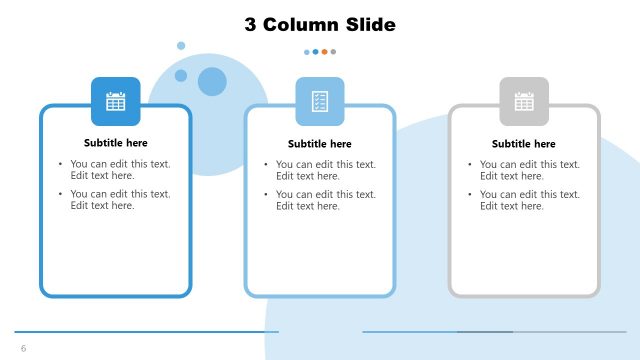
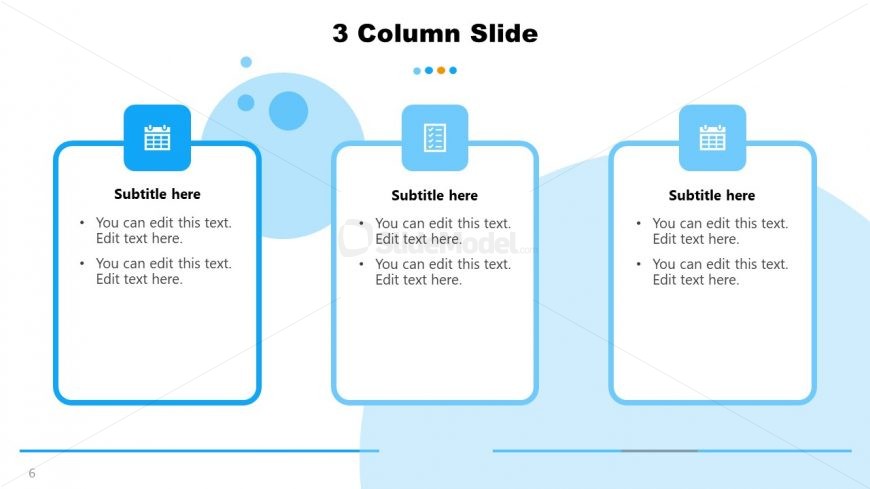
The layout features three equally sized columns aligned horizontally across the slide. Each column contains a rounded rectangle with an icon at the top, followed by a subtitle and two lines of editable text. The icons are a calendar, checklist, and calendar, respectively. The background includes soft blue circular shapes, providing a subtle visual interest. There is a horizontal line at the bottom of the slide, separating the content area from the footer. Text placeholders are centered within each column, maintaining a uniform appearance.
How to Use It
This layout serves as a three-column comparison or information display, ideal for showcasing distinct topics or categories side by side. It fits well in a presentation sequence after introductory slides, allowing for detailed explanations or comparisons. Common scenarios include product feature comparisons, project updates, or summarizing key points in a meeting. The structure supports clear visual separation of content, making it easy for the audience to digest information.
Text Placeholders & Capacity
Keep your copy within these limits so it fits without resizing. Body slots can hold roughly 10-12 words each.
| Placeholder | Count | Max characters (approx.) |
|---|---|---|
| Slide title | 1 | 25 |
| Subtitle | 3 | 30 |
| Body paragraph | 6 | 50 |
Slide Keywords
Download unlimited PowerPoint templates, charts and graphics for your presentations with our annual plan.
DOWNLOAD