Slide 2 of 8 from Free Modern Professional Slides for PowerPoint
Multi-Layer Diagram for PowerPoint with 5 Layers
Layered Level Diagram for Presentations
- Diagram
- Layered Stack
- Process Slide
- 16:9
- 100% Editable
The Layered Level Diagram slide from the Free Modern Professional Slides for PowerPoint template offers a clear visual hierarchy ideal for illustrating project phases or strategic steps. This slide layout uses vibrant stacked layers with editable shapes and vector icons, making it a practical choice for business presentations or educational levels. Its design supports effective communication of complex processes within a professional slide deck.
About This Slide
This PowerPoint design is suited for business reports and presentations, especially in marketing, where multi-leveled or multi-layered diagrams are required.
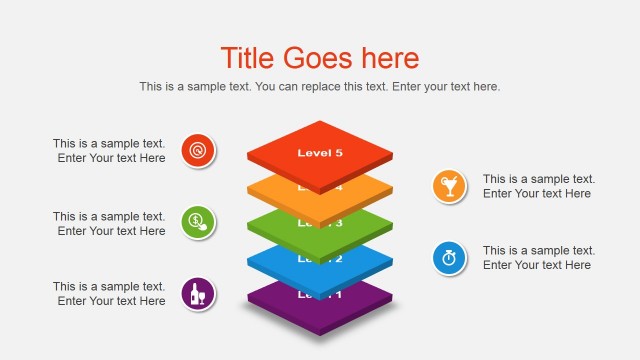
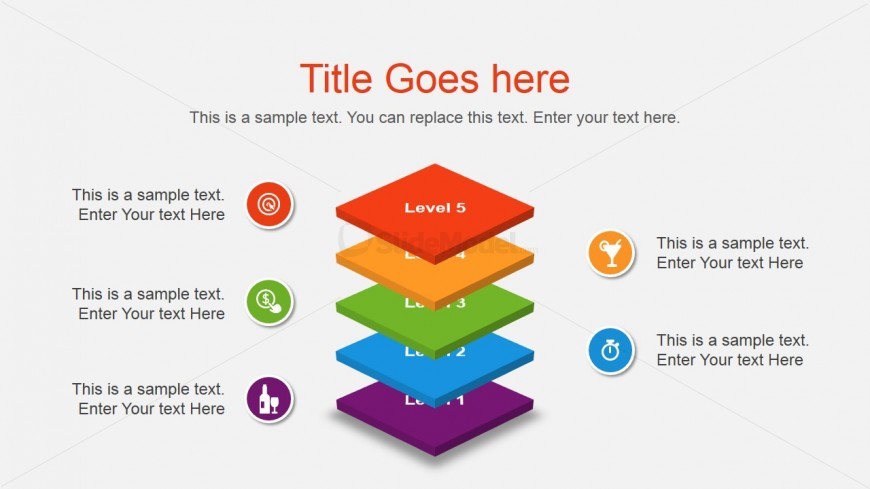
At the center of the PowerPoint slide are five vertically-stacked, 3D squares colored red, yellow, green, blue, and violet, which serve as a helpful schematic diagram. Corresponding to the colored levels are generic icons in matching colors positioned on both sides of the diagram. The icons are easy to adapt and are standard in business projects such as a marketing plan. Descriptions of the design presentation and of each icon may be inserted in text placeholders provided. All PowerPoint graphics are 100% editable and may be customized to fit the presenter’s need or preference.
What’s on This Slide
The slide features a vertical arrangement of five stacked rectangular layers, each with a different color. The top layer is red, labeled 'Level 5', followed by orange, green, blue, and purple layers, labeled 'Level 4', 'Level 3', 'Level 2', and 'Level 1' respectively. Each layer has a text placeholder centered within it. Surrounding the layers are circular icons representing various concepts, positioned to the left and right. The background is light gray, providing contrast to the vibrant colors of the layers. There is a prominent title placeholder at the top, with a subtitle placeholder beneath it.
How to Use It
This layout serves as a hierarchical representation, ideal for showcasing levels or stages in a process. It fits well in a presentation sequence after introducing a concept or problem, providing clarity on progression. Suitable scenarios include business presentations for project phases, educational contexts for learning levels, or strategic planning to outline steps. The visual hierarchy helps emphasize the importance of each level, making it effective for conveying structured information clearly.
Text Placeholders & Capacity
Keep your copy within these limits so it fits without resizing. Body slots are tight, roughly 8 words each.
| Placeholder | Count | Max characters (approx.) |
|---|---|---|
| Slide title | 1 | 30 |
| Body paragraph | 5 | 40 |
| Item heading | 5 | 10 |
Slide Keywords
Download unlimited PowerPoint templates, charts and graphics for your presentations with our annual plan.
DOWNLOAD