Slide 4 of 5 from Free Meet the Team Slide Template for PowerPoint
Editable Free Team Introduction Slide for PPT
Meet the Team Slide for Presentations
- Media Layout
- Other
- Team Slide
- 16:9
- 100% Editable
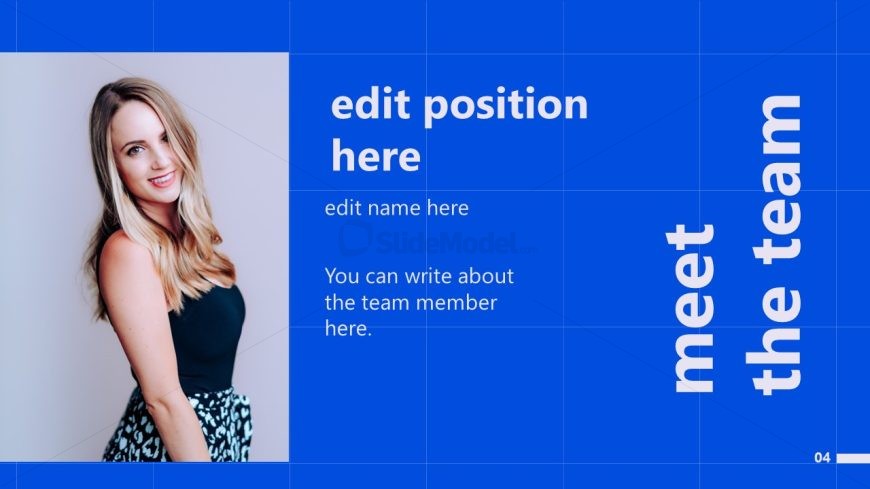
The Team Member Introduction slide from the Free Meet the Team Slide Template for PowerPoint effectively showcases individual team members, enhancing company culture presentations. With a left-aligned image and vertical text placeholders, this layout allows for detailed employee profiles, making it ideal for business presentations and team introductions.
What’s on This Slide
The layout features a left-aligned image of a team member, occupying the left side of the slide. To the right, there are text placeholders arranged vertically. The top placeholder is for the position title, followed by a name placeholder, and a larger body text placeholder for a description. The background is a solid blue color, providing a consistent visual theme. The text is predominantly white, creating a clear contrast against the blue. The overall composition emphasizes the image while allowing for detailed text about the team member.
How to Use It
This layout serves to introduce individual team members within a presentation. It is suitable for use in a company overview or team introduction section, typically following slides that outline company goals or values. This format is effective for highlighting key personnel in business contexts, such as during recruitment presentations or team-building sessions. It allows for personal storytelling about each member, enhancing audience engagement and connection.
Text Placeholders & Capacity
Keep your copy within these limits so it fits without resizing. Body text slots can hold around 20-25 words each.
| Placeholder | Count | Max characters (approx.) |
|---|---|---|
| Item heading | 1 | 30 |
| Item body | 1 | 150 |
| Node number | 1 | 2 |
Slide Keywords
Download unlimited PowerPoint templates, charts and graphics for your presentations with our annual plan.
DOWNLOAD