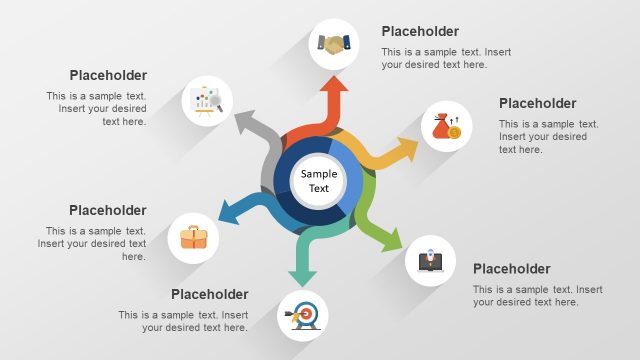
Slide 3 of 3 from Free Hand Picking Diagram Item PowerPoint Template
Hand Picking Swirl Diagram Template
Hand Picking Diagram for Presentations
- Diagram
- Radial Hub
- Strategy Slide
- 16:9
- 100% Editable
The Hand Picking Diagram slide from the Free Hand Picking Diagram Item PowerPoint Template offers a radial hub layout ideal for business strategy discussions and project selection. This slide template features editable shapes and vector icons arranged to visually represent decision-making processes, making it a practical choice for corporate presentations and pitch deck templates that require clear depiction of multiple options.
What’s on This Slide
The layout features a central hand icon reaching towards a circular node containing a briefcase icon. Surrounding this central node are five additional circular nodes, each containing distinct icons representing a bank, a dollar sign, a graph, a tool, and a group of people. Each node is connected to the central node by curved lines, creating a radial flow. Text placeholders are positioned at the top and bottom, aligned center, indicating where to insert desired text. The background is a gradient of blue shades, enhancing visual appeal.
How to Use It
This layout serves as a visual representation of a selection or decision-making process, ideal for illustrating options or categories. It fits well in a presentation sequence after problem identification and before solution proposals. Suitable scenarios include business strategy discussions, project selection, or product feature highlights. It allows for clear communication of multiple choices in a structured format, making it effective for audience engagement.
Text Placeholders & Capacity
Keep your copy within these limits so it fits without resizing. Body slots can hold about 10 words each.
| Placeholder | Count | Max characters (approx.) |
|---|---|---|
| Slide title | 1 | 30 |
| Body paragraph | 2 | 50 |
| Item heading | 6 | 20 |
Slide Keywords
Download unlimited PowerPoint templates, charts and graphics for your presentations with our annual plan.
DOWNLOADReturn to Free Hand Picking Diagram Item PowerPoint Template.