Slide 2 of 7 from Free Features Shapes Layouts for PowerPoint
3-Step Global Process Diagrams
Global Features Overview Slide
- Media Layout
- Other
- Context Slide
- 16:9
- 100% Editable
The Global Features Overview slide from the Free Features Shapes Layouts for PowerPoint template offers a clear and organized way to present key concepts using editable shapes and vector icons. Designed for business presentations and educational content, this slide layout supports concise feature summaries alongside a prominent globe image, enhancing visual context in slide decks and pitch deck templates.
What’s on This Slide
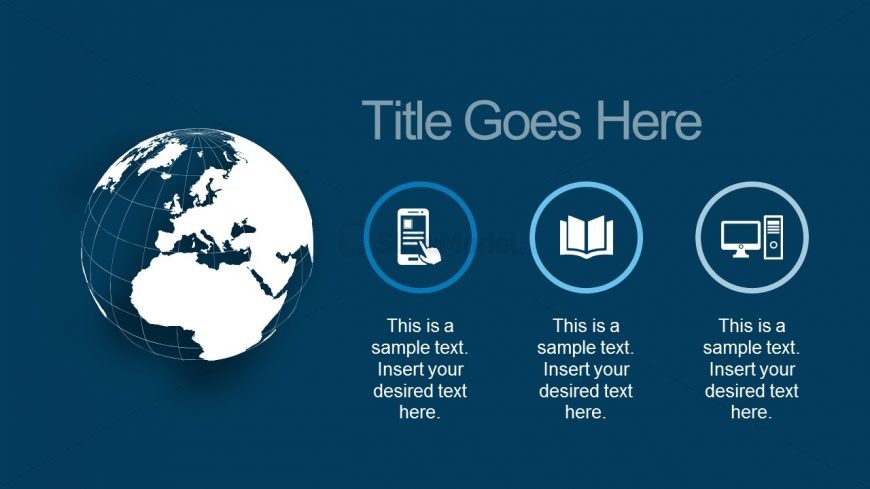
The slide features a globe image positioned on the left side, occupying a significant portion of the slide. To the right, three circular icons are arranged vertically, each containing a placeholder for text beneath them. The first icon depicts a mobile device, the second an open book, and the third a desktop computer. The background is a solid dark blue, providing contrast to the white globe and icons. The title placeholder is located at the top right, aligned with the icons, emphasizing the visual hierarchy. Each text placeholder is centrally aligned beneath its respective icon.
How to Use It
This layout serves as an overview slide, ideal for introducing key features or concepts in a presentation. It fits well after an introductory slide, providing a visual summary of topics to be discussed. Common use cases include product feature highlights, service offerings, or educational content breakdowns. The circular icons allow for easy identification of distinct points, making it suitable for business presentations, educational sessions, or marketing pitches where clarity and organization are essential.
Text Placeholders & Capacity
Keep your copy within these limits so it fits without resizing. Node body slots can hold about 10-12 words each.
| Placeholder | Count | Max characters (approx.) |
|---|---|---|
| Slide title | 1 | 30 |
| Item body | 3 | 60 |
Slide Keywords
Download unlimited PowerPoint templates, charts and graphics for your presentations with our annual plan.
DOWNLOADReturn to Free Features Shapes Layouts for PowerPoint.