Slide 1 of 2 from Free Creative Process Flow Diagram Template for PowerPoint
Free Creative Process Flow Diagram for Presentation
Simple Creative Process Flow Diagram Slide
- Diagram
- Process Flow
- Process Slide
- 16:9
- 100% Editable
What’s on This Slide
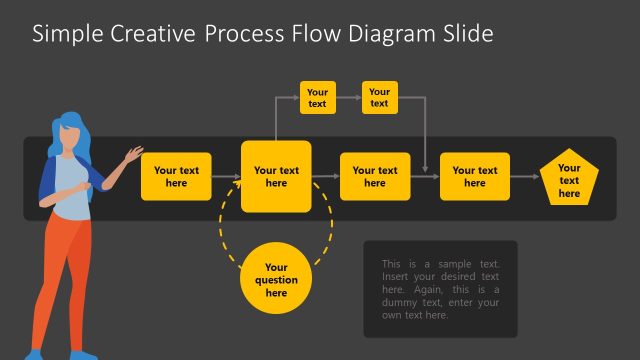
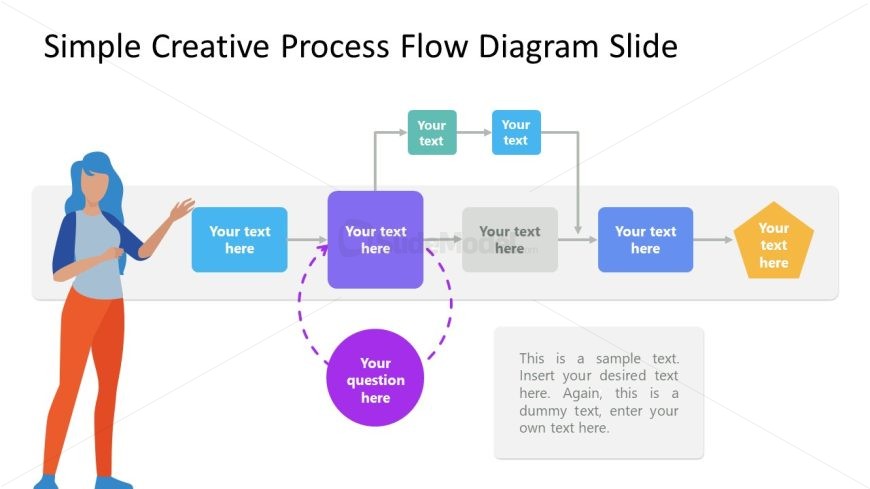
The layout features a central flow diagram with a series of colored shapes representing steps. A figure is positioned on the left, gesturing towards the diagram. The shapes include rectangles, a pentagon, and a circle, with arrows indicating the flow direction. Text placeholders are present in each shape, with one larger central placeholder. A question placeholder is highlighted in purple, surrounded by a dotted line. The overall composition is horizontal, with a balanced arrangement of elements across the slide. The background is light, enhancing visibility.
How to Use It
This layout serves as a process flow diagram, ideal for illustrating sequential steps in a creative process. It fits well in presentations discussing project workflows, brainstorming sessions, or strategic planning. The central question placeholder allows for interactive discussions or prompts. This structure is effective for engaging audiences in workshops or team meetings, where clarity of process is essential. It can be used to visualize stages of development or decision-making paths in various business contexts.
Text Placeholders & Capacity
Keep your copy within these limits so it fits without resizing. Body slots can hold roughly 3-5 words each.
| Placeholder | Count | Max characters (approx.) |
|---|---|---|
| Slide title | 1 | 30 |
| Item body | 5 | 20 |
| Callout | 1 | 100 |
| Item heading | 1 | 20 |
Slide Keywords
Download unlimited PowerPoint templates, charts and graphics for your presentations with our annual plan.
DOWNLOADReturn to Free Creative Process Flow Diagram Template for PowerPoint.