Slide 2 of 11 from Free Cover Slide Designs for PowerPoint
FF0021-01-cover-slides-2
Image with Title and Subtitle Design
- Text Layout
- Single Statement
- Cover Slide
- 16:9
- 100% Editable
The Image with Title and Subtitle slide from the Free Cover Slide Designs for PowerPoint template offers a balanced layout ideal for project introductions and marketing presentations. Featuring a prominent title and subtitle alongside a full-width image, this slide integrates editable shapes and vector icons to enhance visual appeal in corporate presentations and pitch deck templates.
What’s on This Slide
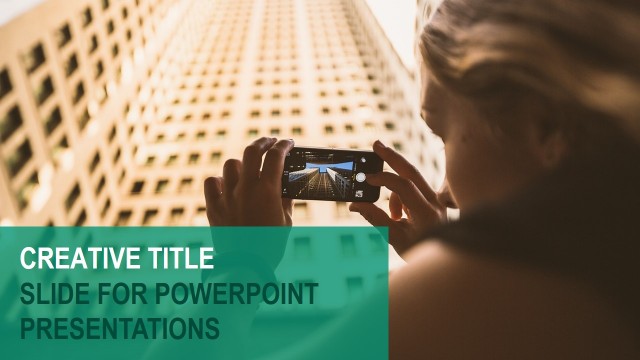
The layout features a large title positioned at the top left, with a subtitle placeholder directly below it. The title is bold and prominent, while the subtitle is smaller and less emphasized. To the right, there is a full-width image of a person taking a photo, occupying the right half of the slide. The background is a gradient of teal on the left side, creating a visual contrast with the image. The overall composition balances text and imagery, ensuring clear visibility and focus on the title.
How to Use It
This layout serves as an introductory slide, ideal for opening presentations or sections. It effectively combines a strong visual element with textual information, making it suitable for various contexts such as project kick-offs, marketing pitches, or event introductions. It fits well after a title slide and before content-heavy slides, providing a smooth transition and engaging the audience's attention.
Text Placeholders & Capacity
Keep your copy within these limits so it fits without resizing. Title slot can hold about 3-4 words; subtitle slot can hold about 5-6 words.
| Placeholder | Count | Max characters (approx.) |
|---|---|---|
| Slide title | 1 | 20 |
| Subtitle | 1 | 30 |
Slide Keywords
Download unlimited PowerPoint templates, charts and graphics for your presentations with our annual plan.
DOWNLOADReturn to Free Cover Slide Designs for PowerPoint.