Slide 5 of 24 from Training Session PowerPoint Template
94304-01-training-session-powerpoint-template-16×9-5
Chapter Title Layout for Training Presentations
- Text Layout
- Single Statement
- Section Divider Slide
- 16:9
- 100% Editable
The Chapter Title Layout from the Training Session PowerPoint Template offers a clean, visually engaging slide for introducing new sections. This slide template features editable shapes and a gradient background, making it suitable for corporate presentations and training sessions that require clear chapter divisions and smooth transitions within a slide deck.
What’s on This Slide
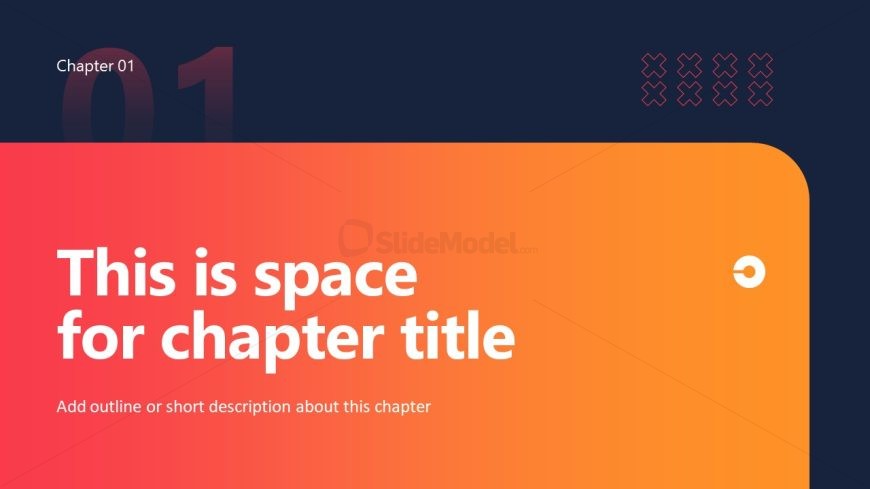
The slide features a gradient background transitioning from dark blue at the top to orange at the bottom. At the top left, there is a large number '01' in a light color. The main text area is centered, containing a bold statement placeholder for the chapter title, which is prominently displayed in white. Below, there is a smaller placeholder for a description, aligned left. The overall composition is clean, with a rounded corner at the bottom right, and decorative icons or shapes are positioned in the top right corner, enhancing the visual interest without cluttering the layout.
How to Use It
This layout serves as a chapter title slide, ideal for introducing new sections in a presentation. It fits well after introductory slides and before detailed content, providing a clear transition. This structure is useful in training sessions to delineate topics, ensuring the audience understands the flow of information. It can be applied in various contexts, such as educational workshops, corporate training, or any presentation requiring clear chapter divisions.
Text Placeholders & Capacity
Keep your copy within these limits so it fits without resizing. Body slots can accommodate roughly 15-20 words each.
| Placeholder | Count | Max characters (approx.) |
|---|---|---|
| Slide title | 1 | 50 |
| Body paragraph | 1 | 100 |
Slide Keywords
Download unlimited PowerPoint templates, charts and graphics for your presentations with our annual plan.
DOWNLOADReturn to Training Session PowerPoint Template.