Slide 3 of 24 from Training Session PowerPoint Template
94304-01-training-session-powerpoint-template-16×9-3
Learning Objectives for Training Session
- Text Layout
- List Blocks
- Goal Setting Slide
- 16:9
- 100% Editable
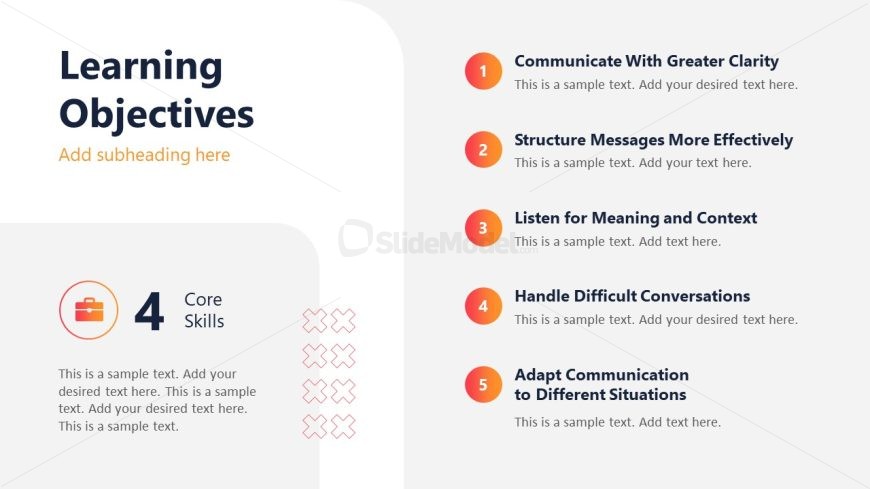
The Learning Objectives Overview slide from the Training Session PowerPoint Template provides a clear and structured layout for outlining key goals in educational presentations. This slide layout supports training sessions and workshops by highlighting essential skills and objectives using editable shapes and numbered lists, making it a practical choice for corporate presentations and slide decks focused on goal setting.
What’s on This Slide
The layout features a prominent title at the top left, stating 'Learning Objectives' in large font, with a subtitle placeholder below it. To the right, five numbered items are listed vertically, each with a title and a text placeholder for descriptions. The first item is highlighted with a circular icon, and the subsequent items follow a similar design with varying colors. At the bottom left, a circular badge indicates '4 Core Skills' with a text placeholder. The background is light with a subtle gradient, enhancing visual separation of elements.
How to Use It
This layout serves as an overview of learning objectives within a training session. It effectively summarizes key skills to be developed, making it suitable for introductory slides or session outlines. This structure is ideal for training programs, workshops, or educational presentations where clear objectives are necessary. It can be used to engage audiences by clearly stating what they will learn, fitting well after an agenda slide and before detailed content slides.
Text Placeholders & Capacity
Keep your copy within these limits so it fits without resizing. Node body slots can accommodate roughly 15-20 words each.
| Placeholder | Count | Max characters (approx.) |
|---|---|---|
| Slide title | 1 | 30 |
| Subtitle | 1 | 50 |
| Item heading | 5 | 40 |
| Item body | 5 | 100 |
| Callout | 1 | 20 |
Slide Keywords
Download unlimited PowerPoint templates, charts and graphics for your presentations with our annual plan.
DOWNLOADReturn to Training Session PowerPoint Template.


