Slide 21 of 24 from Training Session PowerPoint Template
94304-01-training-session-powerpoint-template-16×9-21
Q&A Slide for Training Sessions
- Text Layout
- List Blocks
- Questions Slide
- 16:9
- 100% Editable
The Q&A Session Layout from the Training Session PowerPoint Template offers a clear, interactive slide design ideal for workshops and team meetings. This slide template features editable shapes for questions and responses, supporting audience engagement and feedback collection in business presentations or training seminars. Its structured format enhances communication flow, making it a practical choice within professional slide decks and Google Slides templates.
What’s on This Slide
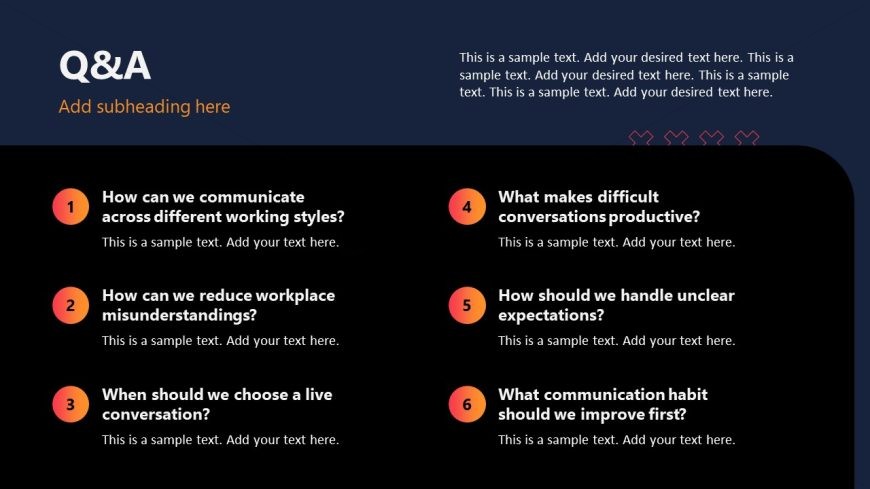
The slide features a dark blue background with an orange title at the top, labeled 'Q&A'. Below the title, there are six numbered questions arranged in two columns. Each question is inside a circular shape, alternating colors between orange and yellow. The questions are aligned left, with corresponding text placeholders for responses below each question. The layout is structured for clarity, with ample space for text entries. The overall composition emphasizes the questions, creating a straightforward visual hierarchy.
How to Use It
This layout serves as a Q&A session slide, ideal for interactive discussions during training sessions. It fits well after content delivery slides, allowing participants to engage with the material. Use it to address common queries or facilitate group discussions. This format is effective in workshops, team meetings, or training seminars where audience participation is encouraged, enhancing the learning experience.
Text Placeholders & Capacity
Keep your copy within these limits so it fits without resizing. Node labels can hold about 12 words each, while body text can accommodate around 25 words each.
| Placeholder | Count | Max characters (approx.) |
|---|---|---|
| Slide title | 1 | 30 |
| Item heading | 6 | 80 |
| Item body | 6 | 150 |
Slide Keywords
Download unlimited PowerPoint templates, charts and graphics for your presentations with our annual plan.
DOWNLOADReturn to Training Session PowerPoint Template.