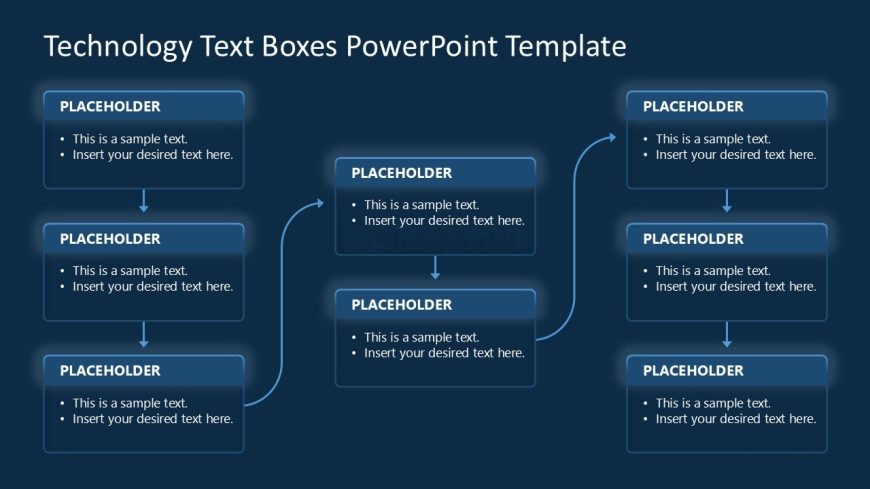
Slide 4 of 4 from Technology Text Boxes PowerPoint Template
Creative Technology Text Boxes PPT Template
Flowchart with Text Boxes for Presentations
- Diagram
- Flowchart
- Process Slide
- 16:9
- 100% Editable
The Flowchart with Text Boxes slide from the Technology Text Boxes PowerPoint Template offers a clear, organized layout ideal for project planning and process mapping. This slide template features editable shapes and text boxes arranged in a branching flowchart, making it suitable for business presentations and strategy development. Its design supports effective communication of hierarchical relationships and decision paths within a corporate presentation or pitch deck template.
What’s on This Slide
The layout consists of a central flowchart with multiple text boxes arranged in a branching structure. The top section features a title, while the main body contains five rectangular text boxes aligned vertically and horizontally. Each box has a placeholder for a title and body text, with arrows connecting them to indicate flow direction. The background is a dark blue, providing contrast to the light blue text boxes. The overall design emphasizes clarity and organization, with a clear visual hierarchy guiding the viewer's eye through the content.
How to Use It
This layout serves as a flowchart to illustrate processes or hierarchical relationships in a presentation. It is effective for outlining steps in a project, showcasing decision-making paths, or presenting interconnected ideas. This slide fits well in a sequence following a problem statement and preceding a solution overview. It is suitable for business scenarios like project planning, strategy development, or technology implementation discussions.
Text Placeholders & Capacity
Keep your copy within these limits so it fits without resizing. Node body slots can hold approximately 20 words each.
| Placeholder | Count | Max characters (approx.) |
|---|---|---|
| Item heading | 5 | 40 |
| Item body | 5 | 100 |
| Slide title | 1 | 50 |
Slide Keywords
Download unlimited PowerPoint templates, charts and graphics for your presentations with our annual plan.
DOWNLOADReturn to Technology Text Boxes PowerPoint Template.