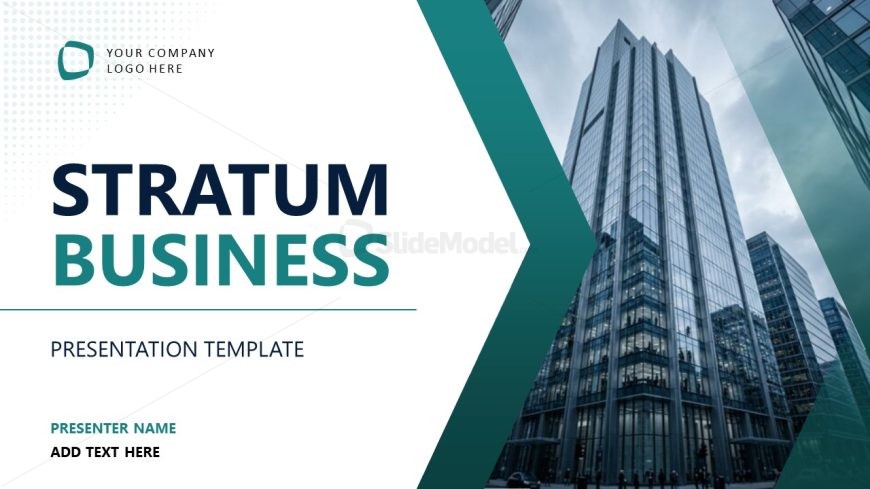
Slide 1 of 13 from Stratum Business PowerPoint Template
Cover Slide for Stratum Business PPT Template
Stratum Business Presentation Title Slide
- Text Layout
- Single Statement
- Context Slide
- 16:9
- 100% Editable
What’s on This Slide
The layout features a large title at the center, stating 'STRATUM BUSINESS' in bold, with a subtitle 'PRESENTATION TEMPLATE' below it. A logo placeholder is positioned at the top left, while a placeholder for the presenter's name is located at the bottom left. The background consists of a high-resolution image of a modern building, creating a professional atmosphere. A green hexagonal shape extends from the left side, adding depth to the design. The overall composition balances text and imagery effectively, with clear visual hierarchy.
How to Use It
This layout serves as a title slide, establishing the presentation's theme and context. It is suitable for opening a business-focused presentation, such as company overviews or strategic plans. This slide fits at the beginning of a sequence, setting the tone for subsequent content. It can be used in various business scenarios, including pitches, reports, or team meetings, where a professional introduction is necessary.
Text Placeholders & Capacity
Keep your copy within these limits so it fits without resizing. Text slots can accommodate roughly 5-8 words each without overflow.
| Placeholder | Count | Max characters (approx.) |
|---|---|---|
| Slide title | 1 | 30 |
| Subtitle | 1 | 30 |
| Footer | 1 | 30 |
| Body paragraph | 1 | 30 |
Slide Keywords
Download unlimited PowerPoint templates, charts and graphics for your presentations with our annual plan.
DOWNLOADReturn to Stratum Business PowerPoint Template.