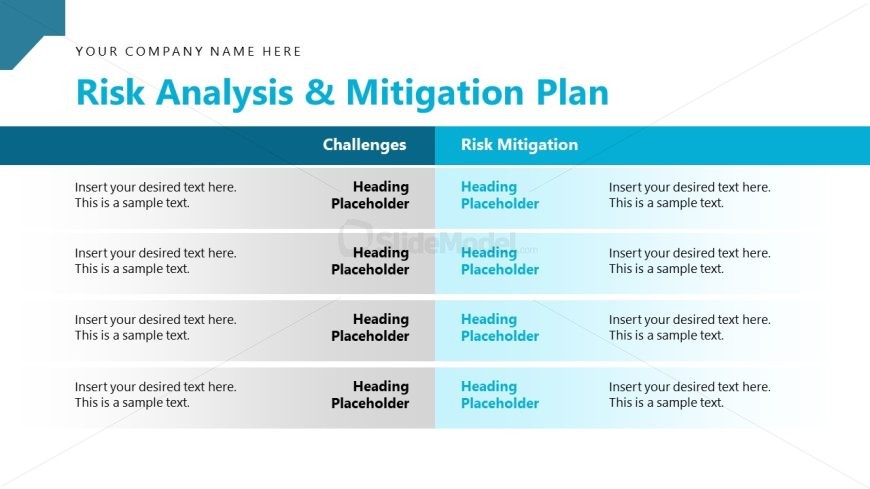
Slide 14 of 16 from Strategic Alliance PowerPoint Template
Risk Analysis & Mitigation Slide with Multiple Rows
Risk Analysis & Mitigation Plan Slide
- Table
- Comparison Table
- Strategic Analysis Slide
- 16:9
- 100% Editable
The Risk Analysis & Mitigation Plan slide from the Strategic Alliance PowerPoint Template offers a structured comparison table ideal for strategic discussions and project planning. This layout supports clear identification of challenges alongside corresponding risk mitigation strategies, making it a practical choice for business presentations that require detailed risk assessment. Its organized design enhances the effectiveness of corporate presentations and pitch deck templates by facilitating focused analysis within editable slides.
What’s on This Slide
The layout features a title at the top center, stating 'Risk Analysis & Mitigation Plan.' Below, there are two main columns labeled 'Challenges' and 'Risk Mitigation.' Each column contains four rows for text entries, with placeholders for headings and body text. The left column has a light gray background, while the right column has a gradient from light blue to white. Text placeholders are aligned to the left within each cell, with a visual hierarchy that emphasizes the headings. The overall composition is structured and organized, facilitating clear comparisons.
How to Use It
This layout serves as a comparison table for analyzing risks and their mitigations. It is suitable for presentations focused on strategic planning, risk management, or project evaluations. The slide fits well in a sequence following a problem identification slide, allowing for a clear transition to solutions. It can be used in business contexts where identifying challenges and corresponding strategies is essential, such as project proposals or strategic alliance discussions.
Text Placeholders & Capacity
Keep your copy within these limits so it fits without resizing. Node body slots can hold roughly 15-20 words each.
| Placeholder | Count | Max characters (approx.) |
|---|---|---|
| Slide title | 1 | 30 |
| Item heading | 8 | 25 |
| Item body | 8 | 100 |
Slide Keywords
Download unlimited PowerPoint templates, charts and graphics for your presentations with our annual plan.
DOWNLOADReturn to Strategic Alliance PowerPoint Template.