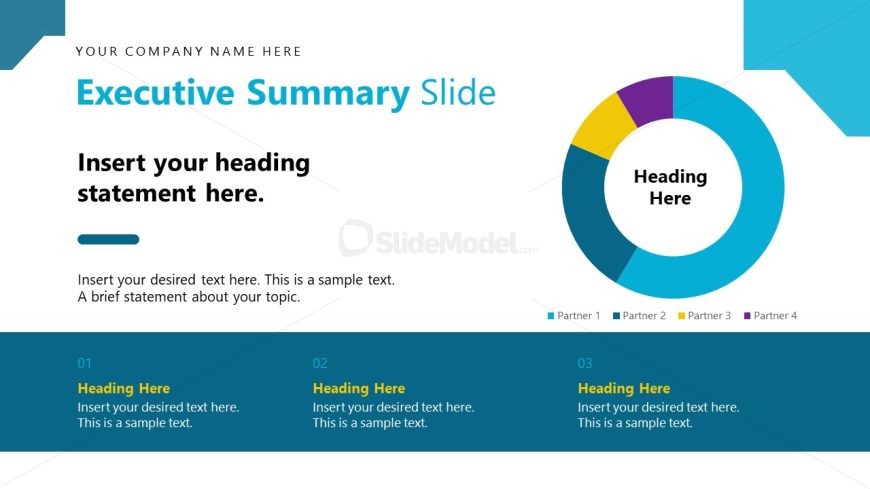
Slide 3 of 16 from Strategic Alliance PowerPoint Template
Executive Summary Presentation Slide – Strategic Alliance Template
Executive Summary Slide for Strategic Alliance
- Text Layout
- Other
- Context Slide
- 16:9
- 100% Editable
The Executive Summary Slide from the Strategic Alliance PowerPoint Template offers a clear layout for summarizing key partnership details. This slide layout is designed for business presentations and pitch deck templates, featuring editable shapes and vector icons to highlight strategic goals effectively. Its clean design supports concise communication in corporate presentations and partner meetings.
What’s on This Slide
The layout features a prominent title area at the top left, with a placeholder for the company name above the main title, which is centered and bold. Below, there is a large circular diagram with sections labeled for four partners, each in distinct colors. The center of the circle contains a placeholder for additional text. Below the diagram, there are four horizontal text boxes, each labeled with a number and a heading placeholder, arranged in a row. The background is predominantly white with blue accents, creating a clean and organized appearance.
How to Use It
This layout serves as an executive summary, ideal for presenting key partnership details in a strategic context. It fits well after introductory slides, summarizing essential points before diving into deeper analysis. Use it to outline partner contributions or highlight strategic goals. This structure is beneficial in business meetings or presentations focused on collaborative efforts, ensuring clarity and engagement with stakeholders.
Text Placeholders & Capacity
Keep your copy within these limits so it fits without resizing. Body slots can accommodate roughly 15-20 words each.
| Placeholder | Count | Max characters (approx.) |
|---|---|---|
| Slide title | 1 | 40 |
| Body paragraph | 4 | 100 |
| Item heading | 4 | 30 |
| Item body | 4 | 100 |
Slide Keywords
Download unlimited PowerPoint templates, charts and graphics for your presentations with our annual plan.
DOWNLOADReturn to Strategic Alliance PowerPoint Template.