Slide 9 of 16 from Strategic Alliance PowerPoint Template
Alliance Objectives & KPIs Donut Chart – Strategic Alliance Presentation
Alliance Objectives & KPIs Overview
- Chart
- Bar Chart
- Evaluation Slide
- 16:9
- 100% Editable
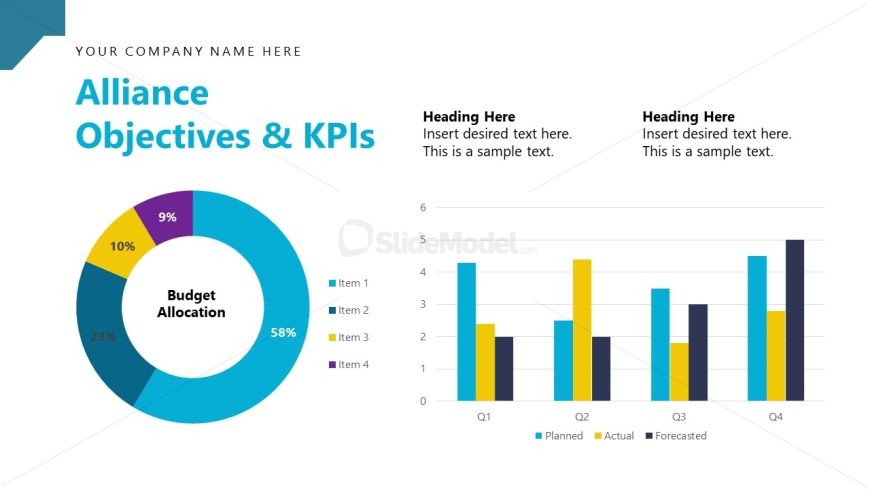
The Alliance Objectives & KPIs slide from the Strategic Alliance PowerPoint Template offers a clear evaluation layout combining circular and bar charts to visualize budget allocations and quarterly performance metrics. This slide layout is ideal for business presentations focused on KPI overviews, strategic planning, and quarterly reviews, featuring editable shapes and vector icons to enhance clarity in corporate presentations.
What’s on This Slide
The layout features a circular chart on the left displaying budget allocation percentages with segments labeled for clarity. Next to it, a bar chart occupies the right side, showing planned, actual, and forecasted values across four quarters. The title is prominently placed at the top, with a placeholder for the company name above it. Below the title, there are two text placeholders for headings and sample text, aligned to the right of the bar chart. The overall composition balances visual elements with text, using a clean, professional design.
How to Use It
This layout serves to present key performance indicators and budget allocations in a strategic context. It fits well in a presentation sequence after discussing strategic goals or prior performance metrics. This slide is useful for business reviews, budget presentations, or strategic planning sessions, allowing stakeholders to visualize objectives and progress effectively. It can also be adapted for quarterly reviews or project updates, providing a clear snapshot of performance metrics.
Text Placeholders & Capacity
Keep your copy within these limits so it fits without resizing. Text slots are spacious, with room for detailed entries.
| Placeholder | Count | Max characters (approx.) |
|---|---|---|
| Slide title | 1 | 30 |
| Item heading | 4 | 10 |
| Chart title | 1 | 30 |
| Body paragraph | 2 | 100 |
Slide Keywords
Download unlimited PowerPoint templates, charts and graphics for your presentations with our annual plan.
DOWNLOADReturn to Strategic Alliance PowerPoint Template.