Conduct a helpful seminar on efficiency using the Simple Time Management PowerPoint Table. This timetable is designed for a brief and easy to follow presentation. It’s also a great accompaniment to our Data and Charts designs. The illustration of this PowerPoint table is perfect for seminars and lectures promoting effectiveness and productivity for individuals, teams and the whole organization itself.
There are times when company supervisors encounter a situation with one or two team members who struggle to comply with company productivity. It is even more challenging to handle when the team member gives compelling reasons for tardiness or absences. This PowerPoint presentation can help those individuals manage their time with the help of the management through their supervisor. This type of seminar is a value added human capital investment that will benefit its employee and ultimately, the company.
A team project is a regular activity in a business organization. However, complicated and long-term projects can be a challenge to both its leader and participants. With the help of a time management diagram such as this one, it will be easier for the team to organize and set priorities for activities relevant to the project. This PowerPoint timetable is also a useful tool in scheduling weekly activities for the entire team. This way, all team members can synchronize their schedules with the work activities, one or two weeks ahead of time.
This PowerPoint template is also applicable to the daily schedule of pertinent activities that involves the majority of the organization. For example, the timetable can plot recreational activities such as a sports fest, overall employee seminars such as changes in benefits and compensation seminar as well as weekly mass schedules.
The design of this PowerPoint slide has infinite functions that are not limited to presentations and seminars. It can also serve as a personal scheduler or diary in either its printed or digital form.
What’s inside this template
Example presentation scenarios
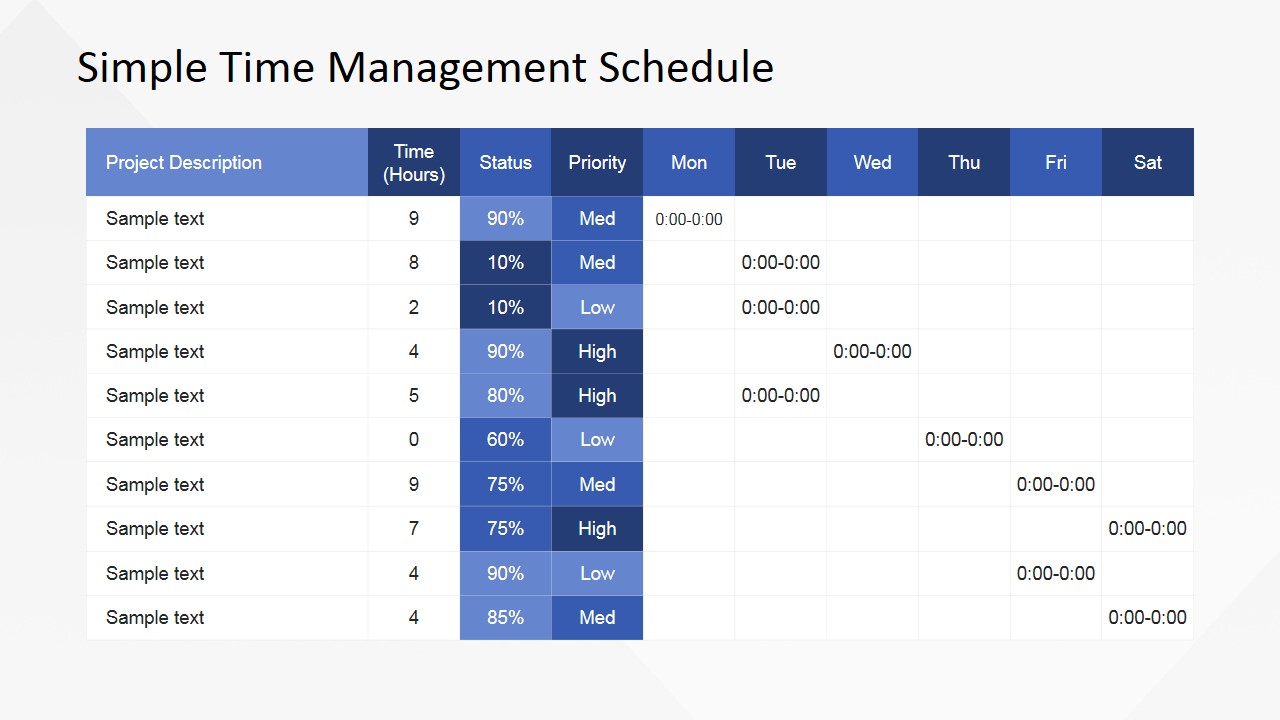
- A project manager can use the project schedule table to show task descriptions, hours, status, priority, and weekday assignments during a team planning meeting.
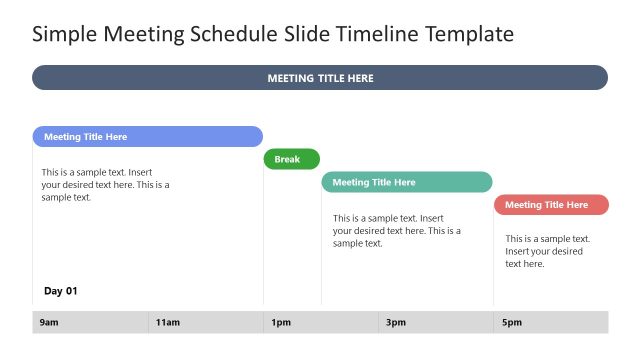
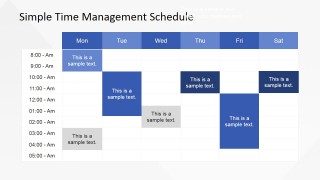
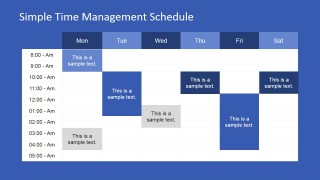
- A supervisor can use the weekly timetable grid to explain employee availability, shared activities, or shift-like commitments across Monday through Saturday.
- A training facilitator can use the time-blocked timetable to teach participants how to allocate focused work periods and compare planned activities by day.
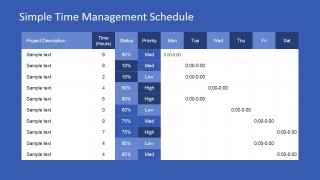
- An operations lead can use the blue-background schedule table to brief a department on weekly priorities while keeping attention on status percentages and priority levels.
Features
- 100% editable presentation template
- Compatible with Microsoft PowerPoint and Google Slides
- 16:9 aspect ratio slides
- Scalable vector shapes, icons and illustrations
- AI-Ready for Microsoft Copilot and Claude
- Instant access and download
Frequently asked questions
Q: How should a presenter explain a time management plan with this template?
A: Start with the project schedule table to define the work: task descriptions, estimated hours, status, priority, and weekday placement. Then move to the weekly timetable grid to show how those tasks fit into actual time blocks. This order helps the audience connect priorities with calendar behavior instead of seeing the schedule as isolated entries.
Q: Who benefits most from using this schedule table format?
A: This template fits supervisors, project managers, trainers, and team leads who need to make work allocation visible in a short meeting. It is best when the message is about organizing tasks, balancing the week, or teaching time discipline, rather than presenting financial analysis or long-range strategic milestones.
Q: Why do the table and time-block layouts work well for productivity communication?
A: The table creates a quick comparison between tasks, hours, status, and priority, while the timetable turns those decisions into a visual weekly plan. The colored blocks act as a calendar metaphor, making time feel finite and allocated. That visual constraint helps teams discuss tradeoffs more concretely.


Simple Time Management PowerPoint Table
4-slide presentation template for time management schedules, weekly timetables, and priority tables
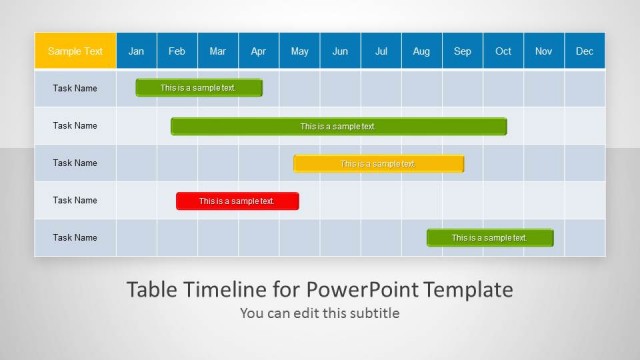
This is a 4-slide time management table template for Microsoft PowerPoint and Google Slides. It includes a project schedule table with status, priority, and weekday columns, plus a weekly timetable grid with time rows and colored activity blocks. Managers, trainers, and team leads can present schedules, priorities, and daily commitments.
- Category
- Text & Tables
- Rating


 Loading...
- Aspect ratio
- 16:9, 4:3
- Item ID
- 6688-01
- Colors
 Microsoft PowerPoint
  Microsoft Copilot
  Claude for PowerPoint
 Other formats supported
Subscribe today and get immediate
access to download our PowerPoint templates.