Slide 1 of 2 from Result-based Management PowerPoint Template
Five Circles Diagram with Arrows – Result-based Management Template
Result-Based Management Process Flow Slide
- Diagram
- Process Flow
- Process Slide
- 16:9
- 100% Editable
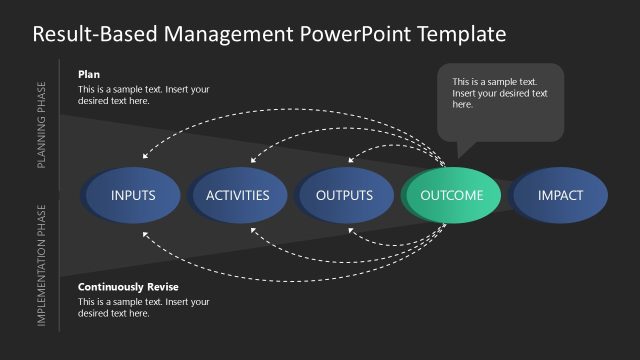
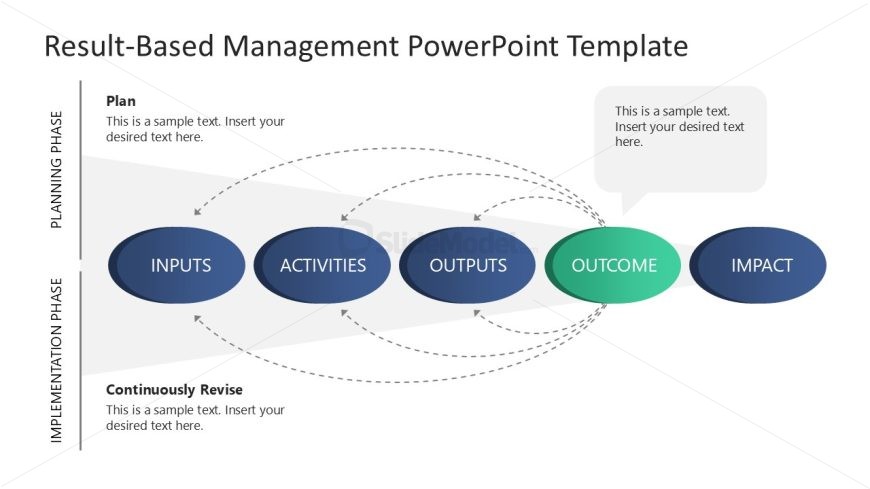
The Result-Based Management Process Flow slide from the Result-based Management PowerPoint Template provides a clear visual representation of project management stages. This slide template uses editable shapes and vector icons to illustrate inputs, activities, outputs, outcomes, and impacts, making it ideal for strategic planning presentations and performance evaluation discussions within corporate presentations or business presentation slide decks.
What’s on This Slide
The layout features a horizontal flow diagram with five main nodes labeled 'INPUTS,' 'ACTIVITIES,' 'OUTPUTS,' 'OUTCOME,' and 'IMPACT.' The nodes are oval-shaped, with 'OUTCOME' highlighted in green. Dashed arrows connect the nodes, indicating relationships and flow direction. Above the diagram, there are text placeholders for a title and additional information, aligned left and centered. The background is light with a gradient effect, enhancing the visual hierarchy. The overall composition is structured, with clear groupings of elements and a focus on the flow of the management process.
How to Use It
This layout serves as a process flow diagram, illustrating the stages of result-based management. It fits well at the beginning of a presentation to outline the framework for discussion. In business contexts, it can be used to explain project management phases, performance evaluation processes, or strategic planning frameworks. The clear visual flow aids in understanding the relationships between inputs and outcomes, making it suitable for training sessions or stakeholder presentations.
Text Placeholders & Capacity
Keep your copy within these limits so it fits without resizing. Node labels can accommodate up to 20 characters each.
| Placeholder | Count | Max characters (approx.) |
|---|---|---|
| Slide title | 1 | 50 |
| Item heading | 5 | 20 |
| Body paragraph | 3 | 100 |
Slide Keywords
Download unlimited PowerPoint templates, charts and graphics for your presentations with our annual plan.
DOWNLOADReturn to Result-based Management PowerPoint Template.