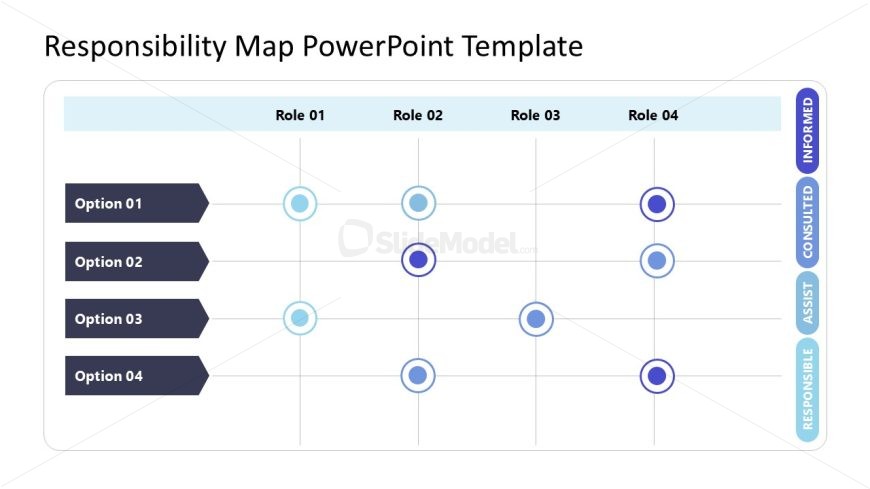
Slide 2 of 2 from Responsibility Map PowerPoint Template
Responsibility Map PPT Slide Layout
Responsibility Assignment Matrix for Projects
- Table
- Responsibility Matrix
- Roles Responsibilities Slide
- 16:9
- 100% Editable
What’s on This Slide
The layout features a grid structure with four rows and four columns. The leftmost column lists four options vertically, while the top row contains four role labels horizontally. Each cell contains circular nodes in varying colors, indicating different responsibility levels. The nodes are centered within their respective cells, with a visual hierarchy established by color intensity. Text placeholders for the role labels and options are aligned centrally. The background is light, enhancing the visibility of the grid and nodes, which are grouped within a defined boundary.
How to Use It
This layout serves as a responsibility assignment matrix, clearly delineating roles and responsibilities for various options. It fits well in project management presentations, helping teams understand task ownership. This structure is useful for clarifying roles in collaborative projects, ensuring accountability. It can be employed in meetings to discuss project responsibilities or in training sessions to explain role assignments. The layout is effective for summarizing complex responsibilities in a clear, visual manner.
Text Placeholders & Capacity
Keep your copy within these limits so it fits without resizing. Node slots are tight, roughly 1-2 words each.
| Placeholder | Count | Max characters (approx.) |
|---|---|---|
| Item heading | 4 | 20 |
| Item body | 16 | 10 |
| Column header | 4 | 20 |
| Row label | 4 | 20 |
Slide Keywords
Download unlimited PowerPoint templates, charts and graphics for your presentations with our annual plan.
DOWNLOADReturn to Responsibility Map PowerPoint Template.