Slide 1 of 3 from Purpose Scope Decision Framing PowerPoint Template
Purpose Scope Decision Framing PPT Diagram Template
Purpose Scope Decision Framing Template
- Table
- Comparison Table
- Strategic Analysis Slide
- 16:9
- 100% Editable
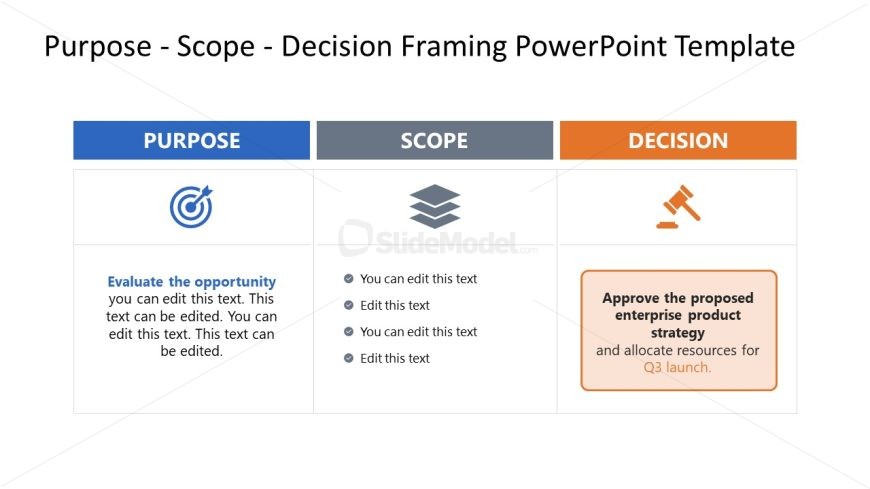
The Purpose Scope Decision Framework slide from the Purpose Scope Decision Framing PowerPoint Template offers a structured comparison table ideal for strategic analysis. This slide layout integrates editable shapes and vector icons to clearly present project proposals or stakeholder decisions within a business presentation. Its design supports effective communication of objectives, scope, and approval processes, making it a practical choice for pitch deck templates and corporate presentations.
What’s on This Slide
The layout consists of three columns labeled 'Purpose,' 'Scope,' and 'Decision.' Each column contains a title at the top, followed by a combination of icons and editable text placeholders. The 'Purpose' column features a target icon and a text area for evaluating opportunities. The 'Scope' column has a stacked layers icon with four editable text placeholders. The 'Decision' column includes a gavel icon and a prominent text box for decision approval. The overall color scheme includes blue, gray, and orange, with a clean, structured alignment.
How to Use It
This layout serves as a framework for presenting a decision-making process, outlining purpose, scope, and final decisions. It fits well in a presentation sequence where strategic planning or project proposals are discussed. This structure is useful in business scenarios such as project kick-offs, stakeholder meetings, or strategic reviews, allowing clear communication of objectives and actions.
Text Placeholders & Capacity
Keep your copy within these limits so it fits without resizing. Body slots can hold roughly 15-20 words each.
| Placeholder | Count | Max characters (approx.) |
|---|---|---|
| Slide title | 1 | 30 |
| Item heading | 3 | 20 |
| Item body | 8 | 100 |
Slide Keywords
Download unlimited PowerPoint templates, charts and graphics for your presentations with our annual plan.
DOWNLOADReturn to Purpose Scope Decision Framing PowerPoint Template.