Slide 2 of 3 from Purpose Scope Decision Framing PowerPoint Template
Editable Purpose Scope Decision Framing Infographics Template
Purpose Scope Decision Framework Slide
- Diagram
- Matrix Quadrant
- Strategic Analysis Slide
- 16:9
- 100% Editable
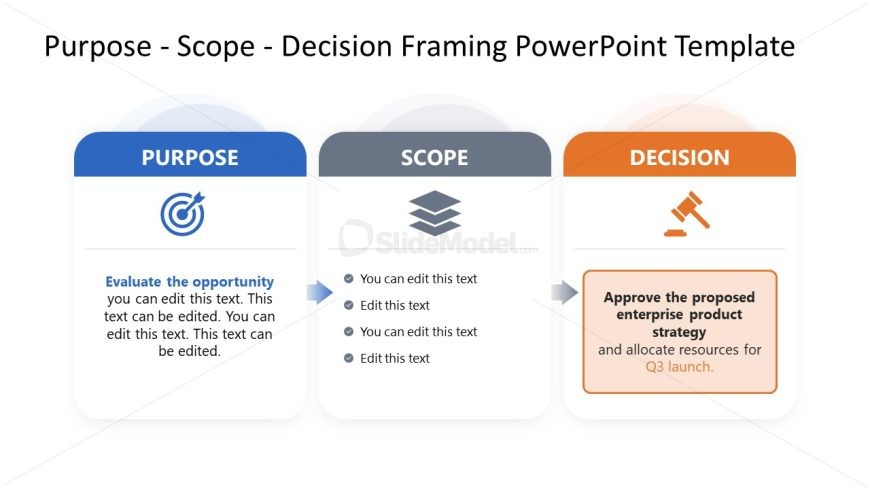
The Purpose Scope Decision Framework slide from the Purpose Scope Decision Framing PowerPoint Template offers a clear matrix layout ideal for strategic analysis and project planning. This slide template features editable shapes and vector icons arranged to support effective communication of objectives, scope, and decisions within business presentations or pitch decks. Its design enhances stakeholder engagement by structuring complex decision-making processes into an accessible slide format.
What’s on This Slide
The layout contains three distinct sections labeled 'PURPOSE,' 'SCOPE,' and 'DECISION,' arranged horizontally. Each section features a title at the top, with corresponding icons: a target for 'PURPOSE,' stacked layers for 'SCOPE,' and a gavel for 'DECISION.' Below the titles, there are text placeholders aligned centrally within each section. The 'PURPOSE' section includes a descriptive text area, while the 'SCOPE' section has multiple editable text lines. The 'DECISION' section contains a larger text area for detailed information. The background is light, enhancing readability.
How to Use It
This layout serves as a structured framework for presenting decision-making processes, ideal for strategic discussions. It fits well after an introductory slide and before detailed analysis or action plans. It can be used in business meetings to outline project objectives, scope, and decisions clearly. This format is effective for project management, strategic planning, or stakeholder presentations, ensuring clarity in communication and alignment among team members.
Text Placeholders & Capacity
Keep your copy within these limits so it fits without resizing. Body slots can hold approximately 15-20 words each.
| Placeholder | Count | Max characters (approx.) |
|---|---|---|
| Slide title | 3 | 30 |
| Item body | 5 | 100 |
Slide Keywords
Download unlimited PowerPoint templates, charts and graphics for your presentations with our annual plan.
DOWNLOADReturn to Purpose Scope Decision Framing PowerPoint Template.