Slide 3 of 3 from Prism Shape for PowerPoint
1925-prism-shape-wide-3
Prism Framework Diagram for Presentations
- Diagram
- Other
- Strategy Slide
- 16:9
- 100% Editable
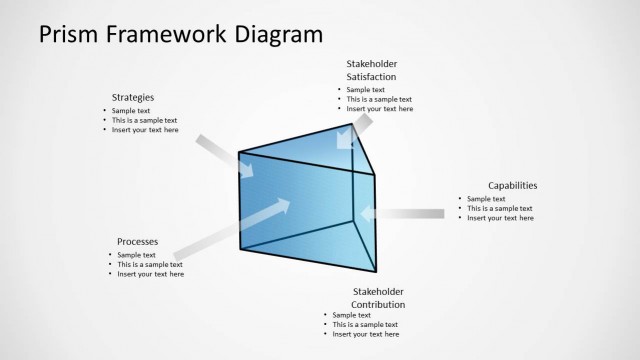
The Prism Framework Diagram slide from the Prism Shape for PowerPoint template offers a strategic layout ideal for business presentations focused on project management and stakeholder engagement. This diagram uses editable shapes and vector icons to visually connect strategies, processes, capabilities, and stakeholder satisfaction, enhancing clarity in corporate presentations and pitch deck templates.
What’s on This Slide
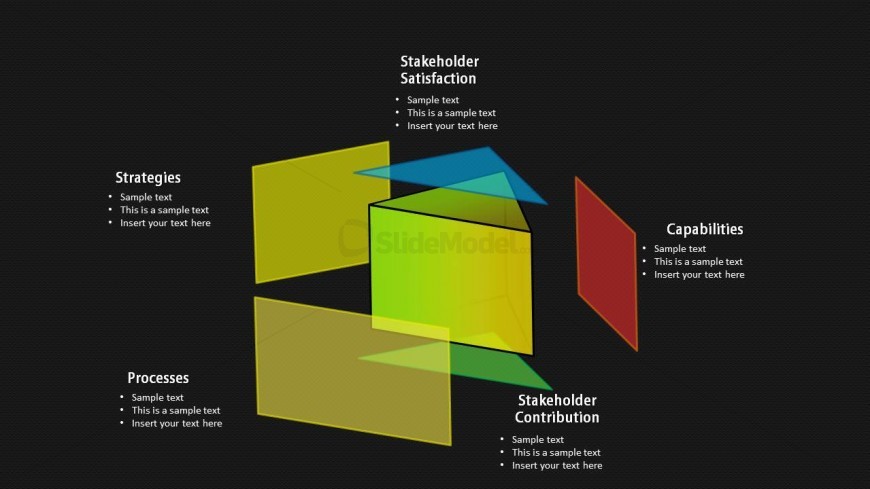
The slide features a central green prism shape with four colored panels positioned around it. The left panel is yellow labeled 'Strategies,' the bottom panel is yellow labeled 'Processes,' the right panel is red labeled 'Capabilities,' and the top panel is blue labeled 'Stakeholder Satisfaction.' Each panel contains text placeholders aligned to the left, indicating space for sample text. The overall layout is structured to emphasize the central prism while maintaining a balanced visual hierarchy. The background is dark, enhancing the visibility of the prism and text.
How to Use It
This layout serves as a framework diagram, illustrating relationships between key concepts such as strategies, processes, capabilities, and stakeholder satisfaction. It fits well in presentations discussing project management, stakeholder engagement, or strategic planning. This structure can be used to visually represent how different elements contribute to overall objectives, making it suitable for business strategy meetings or stakeholder presentations.
Text Placeholders & Capacity
Keep your copy within these limits so it fits without resizing. Node body slots can hold about 8-10 words each.
| Placeholder | Count | Max characters (approx.) |
|---|---|---|
| Item heading | 4 | 30 |
| Item body | 4 | 50 |
Slide Keywords
Download unlimited PowerPoint templates, charts and graphics for your presentations with our annual plan.
DOWNLOADReturn to Prism Shape for PowerPoint.