Slide 7 of 13 from Orbit Product PowerPoint Presentation Template
Editable User Experience Journey Slide – Orbit Product Presentation
User Experience Journey Slide for Presentations
- Diagram
- Timeline Horizontal
- Customer Journey Slide
- 16:9
- 100% Editable
The User Experience Journey Slide from the Orbit Product PowerPoint Presentation Template offers a clear, horizontal timeline layout ideal for mapping customer journeys or user onboarding processes. This slide template supports detailed descriptions aligned with specific times, making it effective for product feature walkthroughs within business presentations. Its design enhances communication of sequential user activities using editable shapes and vector icons, suitable for professional slide decks and pitch presentations.
What’s on This Slide
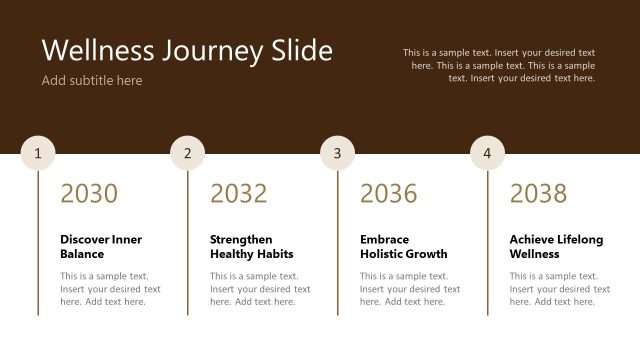
The layout features a horizontal arrangement divided into four sections. Each section is labeled with a time, such as '07:00 AM' and '10:00 AM', positioned at the top of each segment. Below the time labels, there are titles like 'Morning Briefing' and 'Focus Mode', with corresponding text placeholders beneath. The text placeholders are aligned left and right within each section, providing space for detailed descriptions. A decorative element is present at the bottom, creating a visual boundary. The background is a gradient of light and dark tones, enhancing the overall structure.
How to Use It
This layout serves as a timeline or journey map, ideal for illustrating user experiences over a day. It fits well in presentations discussing product usage or customer interactions. This structure can be used in scenarios such as user onboarding sessions, product feature walkthroughs, or customer journey mapping. It effectively communicates sequential activities and their corresponding details, making it suitable for product teams and marketing presentations.
Text Placeholders & Capacity
Keep your copy within these limits so it fits without resizing. Node body slots can hold about 15-20 words each.
| Placeholder | Count | Max characters (approx.) |
|---|---|---|
| Slide title | 1 | 30 |
| Item heading | 4 | 20 |
| Item body | 4 | 100 |
Slide Keywords
Download unlimited PowerPoint templates, charts and graphics for your presentations with our annual plan.
DOWNLOAD