Slide 2 of 5 from Governance Framework Cycle Diagram PowerPoint Template
Customizable Governance Framework Cycle Diagram PowerPoint Slide
Governance Framework Cycle Diagram Overview
- Diagram
- Circular Cycle
- Process Slide
- 16:9
- 100% Editable
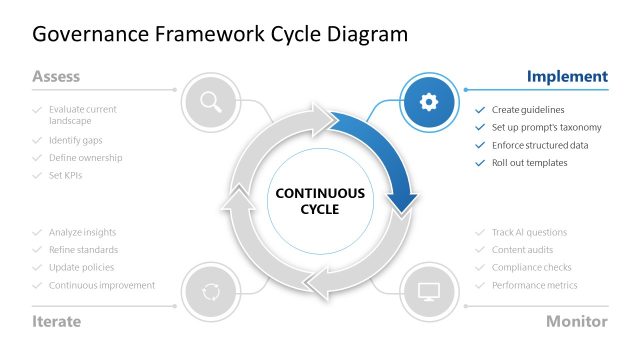
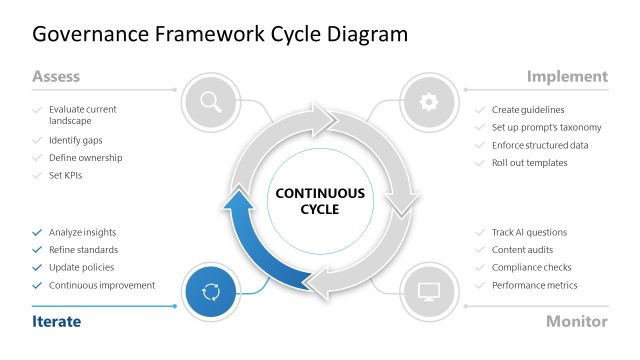
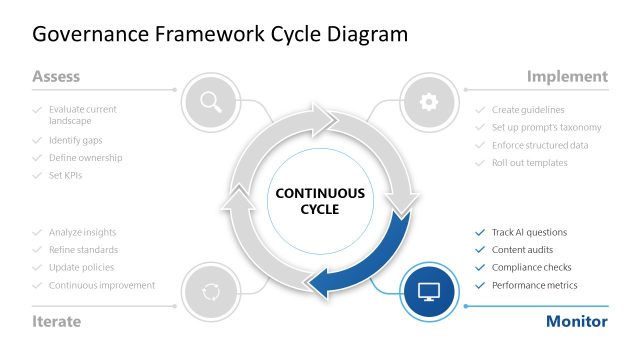
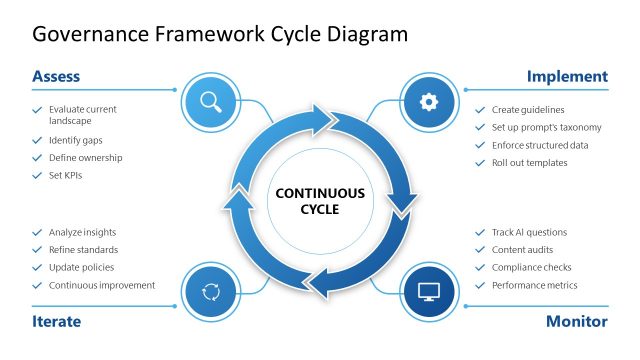
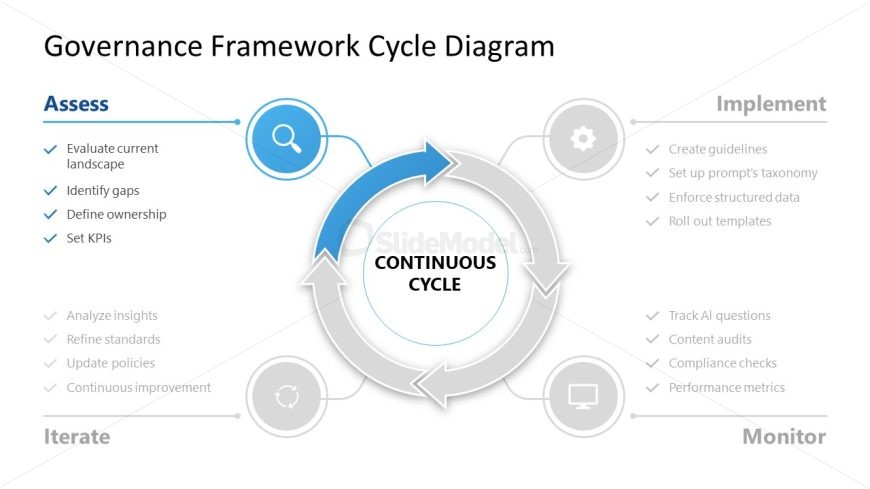
The Governance Framework Cycle Diagram slide from the Governance Framework Cycle Diagram PowerPoint Template visually represents a continuous process flow ideal for strategic management and data governance presentations. This slide layout uses editable shapes and vector icons to clearly communicate cyclical governance tasks, making it suitable for corporate presentations and compliance training sessions within a slide deck.
What’s on This Slide
The layout features a central circular diagram labeled 'CONTINUOUS CYCLE' with arrows indicating flow direction. Surrounding the circle are four labeled sections: 'Assess,' 'Implement,' 'Iterate,' and 'Monitor.' Each section contains bullet points detailing specific tasks. The 'Assess' section is positioned at the top left, while 'Implement' is at the top right. 'Iterate' is at the bottom left, and 'Monitor' is at the bottom right. Icons accompany each section, enhancing visual clarity. The background is light with gray and blue accents.
How to Use It
This layout serves as a process flow diagram, illustrating the governance framework cycle. It fits within a presentation that discusses strategic management or governance practices. Ideal for business scenarios such as data governance meetings, strategy sessions, or compliance training. This structure allows for clear communication of cyclical processes and responsibilities, making it effective for both presentations and reports.
Text Placeholders & Capacity
Keep your copy within these limits so it fits without resizing. Node body slots can accommodate around 10-12 words each.
| Placeholder | Count | Max characters (approx.) |
|---|---|---|
| Slide title | 1 | 30 |
| Item heading | 4 | 15 |
| Item body | 4 | 60 |
Slide Keywords
Download unlimited PowerPoint templates, charts and graphics for your presentations with our annual plan.
DOWNLOADReturn to Governance Framework Cycle Diagram PowerPoint Template.