Slide 1 of 5 from Bottom-up Strategic Planning PowerPoint Template
Bottom-up Strategic Planning Presentation Template
SWOT Analysis Diagram for Strategic Planning
- Diagram
- Matrix Quadrant
- Strategic Analysis Slide
- 16:9
- 100% Editable
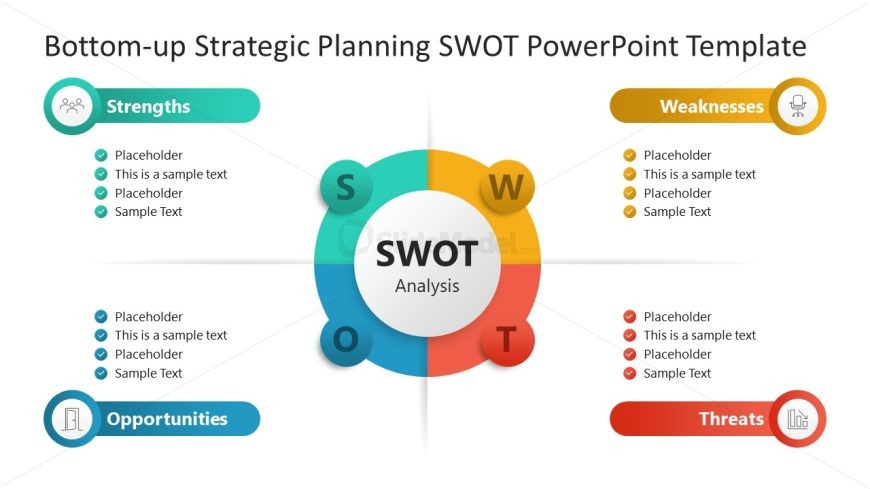
The SWOT Analysis Diagram slide from the Bottom-up Strategic Planning PowerPoint Template provides a clear matrix quadrant layout for strategic analysis. This slide template is designed for business presentations focused on marketing strategy and organizational assessment, featuring editable shapes and vector icons to visually distinguish strengths, weaknesses, opportunities, and threats. It supports effective communication in strategic planning sessions and can be integrated seamlessly into corporate presentation slide decks.
What’s on This Slide
The layout features a central circular node labeled 'SWOT Analysis' surrounded by four quadrants representing strengths, weaknesses, opportunities, and threats. Each quadrant contains a circular icon and text placeholders aligned to the left or right. The strengths and opportunities sections are colored in teal, while weaknesses and threats are in orange and red, respectively. The overall composition is balanced, with clear visual separation between sections. Placeholder text is present in each quadrant for content entry, maintaining a consistent visual hierarchy.
How to Use It
This layout serves as a structured SWOT analysis tool, ideal for strategic planning presentations. It fits well in the early stages of a presentation, following problem identification slides. This format is useful for businesses assessing internal strengths and weaknesses alongside external opportunities and threats. It can be applied in various contexts, such as marketing strategy discussions, project evaluations, or organizational assessments, providing a clear visual representation of strategic factors.
Text Placeholders & Capacity
Keep your copy within these limits so it fits without resizing. Node body slots can hold roughly 15-20 words each.
| Placeholder | Count | Max characters (approx.) |
|---|---|---|
| Item heading | 4 | 20 |
| Item body | 4 | 100 |
| Chart title | 1 | 30 |
Slide Keywords
Download unlimited PowerPoint templates, charts and graphics for your presentations with our annual plan.
DOWNLOAD