Slide 1 of 2 from As-Is To-Be Diagram PowerPoint Template
Editable As-Is To-Be Diagram PPT Layout
As-Is To-Be Diagram PowerPoint Template
- Diagram
- Other
- Comparison Slide
- 16:9
- 100% Editable
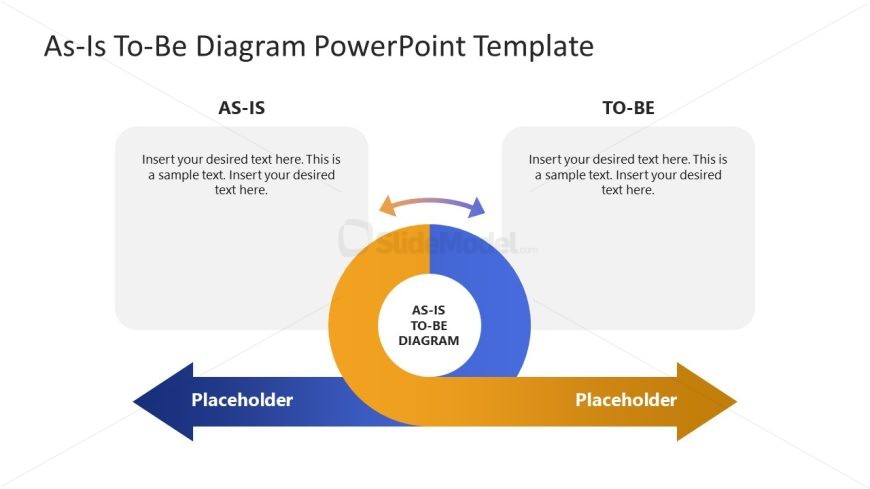
The As-Is To-Be Diagram slide layout from the As-Is To-Be Diagram PowerPoint Template provides a clear visual comparison between current and future states, supporting effective project planning and performance evaluation. This slide uses editable shapes and vector icons to highlight process changes, making it a practical choice for business presentations and corporate slide decks that require clear depiction of transformation stages.
What’s on This Slide
The layout features a central circular diagram labeled 'AS-IS TO-BE DIAGRAM' with arrows pointing left and right. On the left, there is a rectangular placeholder for text labeled 'AS-IS', while on the right, another rectangular placeholder is labeled 'TO-BE'. The circular diagram is colored blue and orange, and the arrows are blue with a slight curve. Text placeholders are centered within their respective rectangles, allowing for a clear visual hierarchy. The overall composition is balanced, with a focus on the central diagram and the labeled sections.
How to Use It
This layout serves as a comparison tool between current and future states, ideal for business presentations. It fits well after problem identification slides, providing a visual transition to proposed solutions. Use this structure to illustrate changes in processes, strategies, or performance metrics. It is suitable for discussions on project planning, product development, or organizational change, helping audiences visualize the transformation from the current state to the desired future state.
Text Placeholders & Capacity
Keep your copy within these limits so it fits without resizing. Node body slots can hold about 25-30 words each.
| Placeholder | Count | Max characters (approx.) |
|---|---|---|
| Item heading | 2 | 50 |
| Item body | 2 | 150 |
| Chart title | 1 | 30 |
Slide Keywords
Download unlimited PowerPoint templates, charts and graphics for your presentations with our annual plan.
DOWNLOADReturn to As-Is To-Be Diagram PowerPoint Template.