Slide 2 of 9 from AI Training Presentation Template
Table of Contents Visualization – AI Training Template
AI Training Presentation Table of Contents
- Text Layout
- Agenda Toc
- Agenda Slide
- 16:9
- 100% Editable
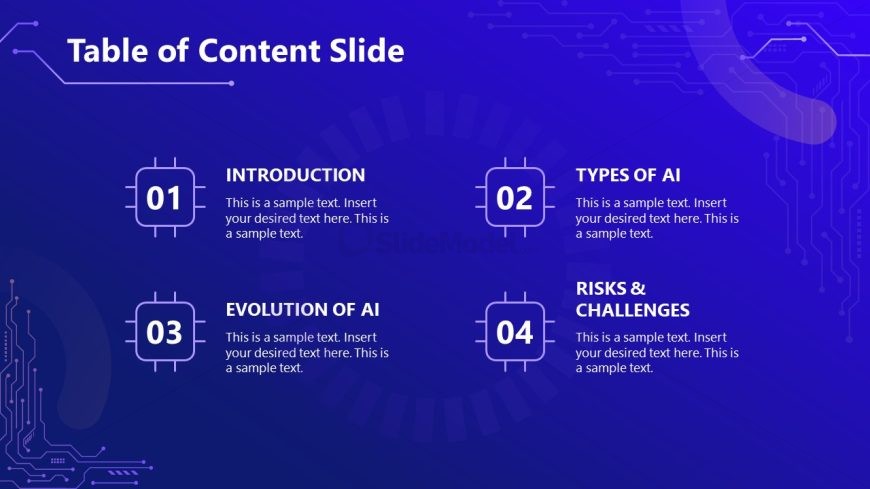
The Table of Content Slide from the AI Training Presentation Template offers a clear agenda layout ideal for business presentations and training sessions. This slide template uses editable shapes arranged in a 2x2 grid to outline key topics such as AI types and challenges, enhancing audience understanding in corporate presentations and pitch decks.
What’s on This Slide
The layout features a dark blue background with a circuit pattern. At the top, the title 'Table of Content Slide' is prominently displayed. Below, four sections are arranged in a 2x2 grid format. Each section contains a number and title, with placeholders for text beneath. The sections are labeled 'INTRODUCTION,' 'TYPES OF AI,' 'EVOLUTION OF AI,' and 'RISKS & CHALLENGES.' Each section is framed with rounded rectangles, and the text is aligned centrally. The overall composition is balanced, with equal spacing between elements.
How to Use It
This layout serves as a table of contents for a presentation, outlining key topics. It fits early in a presentation sequence, guiding the audience on what to expect. This structure is useful in business training or educational settings where clarity of content flow is essential. It can also be adapted for project updates or meeting agendas, ensuring participants are aware of the discussion points.
Text Placeholders & Capacity
Keep your copy within these limits so it fits without resizing. Node body slots can hold roughly 15-20 words each.
| Placeholder | Count | Max characters (approx.) |
|---|---|---|
| Slide title | 1 | 30 |
| Item heading | 4 | 25 |
| Item body | 4 | 100 |
Slide Keywords
Download unlimited PowerPoint templates, charts and graphics for your presentations with our annual plan.
DOWNLOADReturn to AI Training Presentation Template.