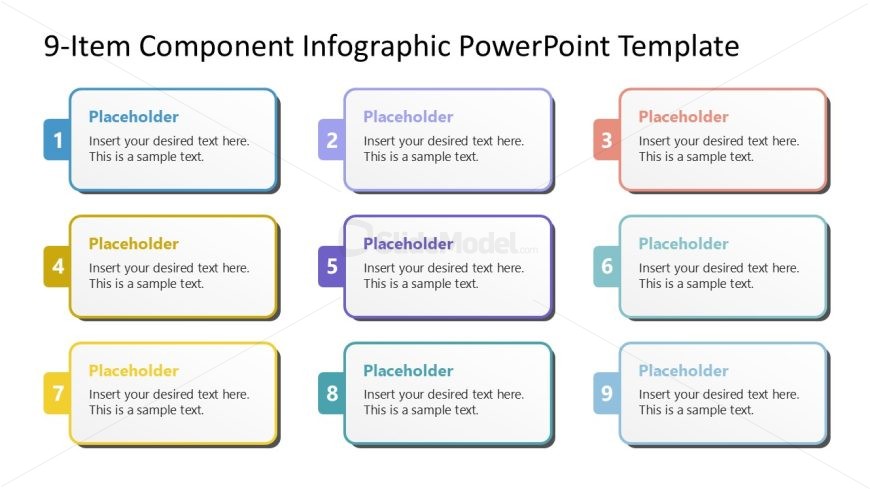
Slide 1 of 2 from 9-Item Component Infographic PowerPoint Template
9-Item Component Infographic Presentation Template
9-Item Component Infographic Slide
- Text Layout
- List Blocks
- Context Slide
- 16:9
- 100% Editable
The 9-Item Component Layout from the 9-Item Component Infographic PowerPoint Template offers a clear grid design ideal for showcasing project phases or product features. This slide layout utilizes editable shapes and vector icons to create a structured business presentation, making it suitable for corporate presentations or pitch deck templates that require organized, easy-to-follow content.
What’s on This Slide
The slide features a grid layout with nine rectangular placeholders arranged in three rows and three columns. Each placeholder is bordered and contains sample text aligned to the left. The first row includes placeholders labeled 1, 2, and 3, with varying border colors: blue, purple, and red, respectively. The second row contains placeholders 4, 5, and 6, with a light gray background. The third row includes placeholders 7, 8, and 9, each with distinct border colors. The overall design emphasizes a clear visual hierarchy, allowing for easy differentiation between items.
How to Use It
This layout serves as a structured format for presenting nine distinct components or stages. It is suitable for various business contexts, such as outlining project phases, product features, or strategic initiatives. This slide fits well in a presentation sequence following an introductory slide, allowing for detailed exploration of each component. It can be used effectively in team meetings, product demonstrations, or educational settings to convey complex information in a digestible format.
Text Placeholders & Capacity
Keep your copy within these limits so it fits without resizing. Each text placeholder can accommodate roughly 15-20 words.
| Placeholder | Count | Max characters (approx.) |
|---|---|---|
| Item heading | 9 | 30 |
| Item body | 9 | 100 |
Slide Keywords
Download unlimited PowerPoint templates, charts and graphics for your presentations with our annual plan.
DOWNLOAD