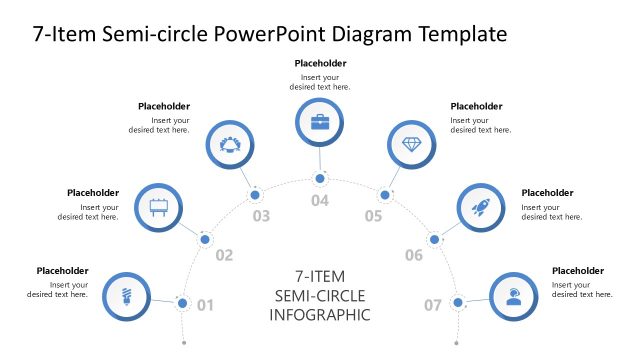
Slide 3 of 3 from 7-Item Semi-circle Infographic PowerPoint Diagram Template
7-Item Semi-circle Infographic Slide with Dark Background
7-Item Semi-circle Infographic Diagram
- Diagram
- Other
- Process Slide
- 16:9
- 100% Editable
The 7-Item Semi-circle Infographic slide from the 7-Item Semi-circle Infographic PowerPoint Diagram Template visually outlines a seven-step process using editable shapes and colorful vector icons arranged in a semi-circle. This slide layout is ideal for business presentations requiring clear depiction of project phases, marketing strategy steps, or performance tracking stages within a professional slide deck.
What’s on This Slide
The layout features a semi-circle arrangement of seven nodes, each containing a circular icon and a text placeholder. The nodes are evenly spaced along the curve, with the central node labeled '7-ITEM SEMI-CIRCLE INFOGRAPHIC' positioned at the bottom center. Each node is connected by dashed lines, indicating a flow or sequence. The icons vary in color and shape, enhancing visual distinction. Text placeholders are aligned within each node, allowing for clear labeling. The background is dark, providing contrast to the colorful icons.
How to Use It
This layout serves as a visual representation of a seven-step process or phases in a project. It is suitable for presentations that require a clear depiction of sequential stages or key performance indicators. This structure fits well in a presentation following a problem-framing slide, leading into a detailed analysis or roadmap. It can be used in business contexts like project management, marketing strategies, or performance tracking.
Text Placeholders & Capacity
Keep your copy within these limits so it fits without resizing. Node labels can hold about 30 characters each, while the title can accommodate around 40 characters.
| Placeholder | Count | Max characters (approx.) |
|---|---|---|
| Item heading | 7 | 30 |
| Body paragraph | 1 | 50 |
| Slide title | 1 | 40 |
Slide Keywords
Download unlimited PowerPoint templates, charts and graphics for your presentations with our annual plan.
DOWNLOADReturn to 7-Item Semi-circle Infographic PowerPoint Diagram Template.