Slide 4 of 7 from 6-Vertical Split Arrows PowerPoint Template
6-Vertical Split Arrows Template for PowerPoint
Vertical Split Arrows PowerPoint Diagram
- Diagram
- Arrow Sequence
- Process Slide
- 16:9
- 100% Editable
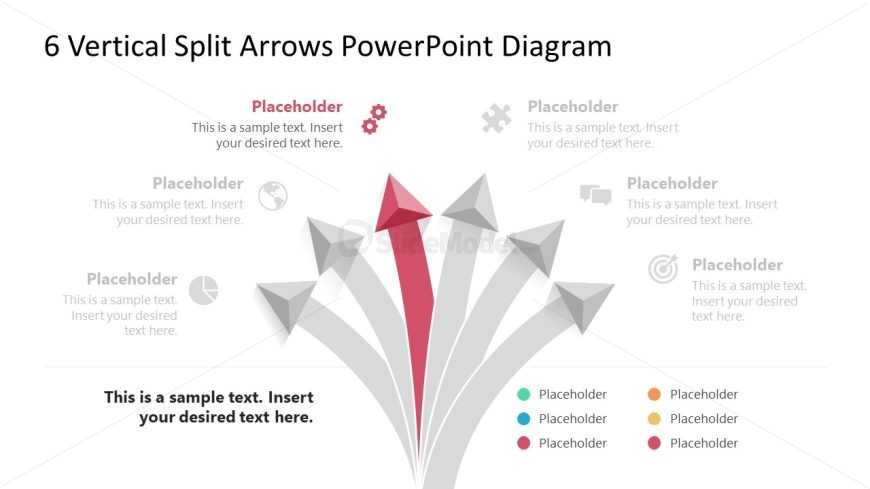
The Vertical Split Arrows Diagram slide from the 6-Vertical Split Arrows PowerPoint Template visually organizes processes branching from a central idea, ideal for strategic plans and project milestones. This slide layout uses editable shapes and vector icons to clearly depict decision-making pathways, making it a practical choice for business presentations and pitch deck templates that require a structured flow of information.
What’s on This Slide
The layout features a central vertical arrow with five diverging arrows extending outward. The central arrow is larger and colored red, while the surrounding arrows are gray. Each arrow has a corresponding text placeholder positioned beside it, with a larger placeholder at the bottom for additional text. The placeholders are aligned left and right, creating a balanced visual flow. The overall design is structured to guide the viewer's attention from the central arrow to the diverging ones, emphasizing a directional theme. The background is light, enhancing readability.
How to Use It
This layout serves as a visual representation of processes or concepts that branch out from a central idea. It is suitable for illustrating strategic plans, project milestones, or decision-making processes. This slide fits well in a presentation sequence following an introduction or problem statement, providing clarity on multiple pathways or options. It can be used in business meetings, educational settings, or strategic planning sessions to convey complex information succinctly.
Text Placeholders & Capacity
Keep your copy within these limits so it fits without resizing. Node labels can hold about 40 characters each, while the body paragraph can accommodate around 100 characters.
| Placeholder | Count | Max characters (approx.) |
|---|---|---|
| Item heading | 5 | 40 |
| Body paragraph | 1 | 100 |
Slide Keywords
Download unlimited PowerPoint templates, charts and graphics for your presentations with our annual plan.
DOWNLOADReturn to 6-Vertical Split Arrows PowerPoint Template.