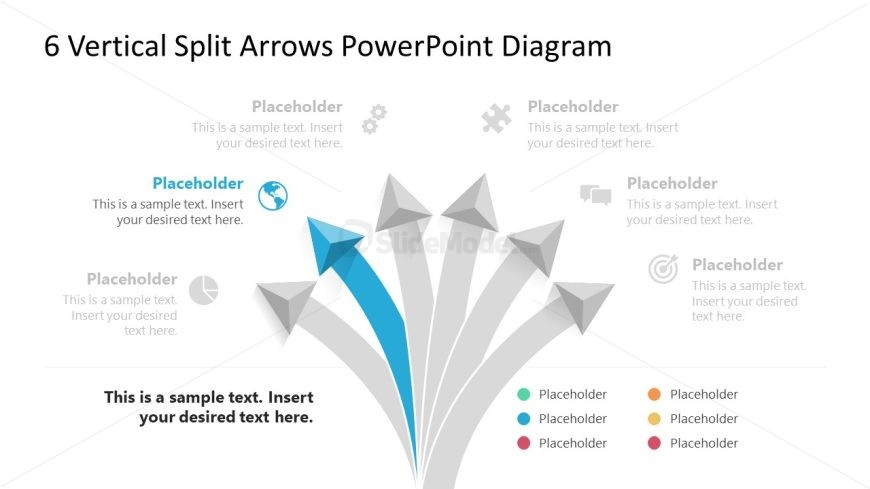
Slide 3 of 7 from 6-Vertical Split Arrows PowerPoint Template
6-Vertical Split Arrows PPT Template
Vertical Split Arrows PowerPoint Diagram
- Diagram
- Arrow Sequence
- Process Slide
- 16:9
- 100% Editable
The Vertical Split Arrows Diagram from the 6-Vertical Split Arrows PowerPoint Template visually represents processes with diverging paths using editable shapes and vector icons. This slide layout is ideal for business presentations or pitch deck templates that require clear mapping of strategies or decision-making steps. Its design supports effective communication of complex information through a structured slide deck format.
What’s on This Slide
The layout features six vertical arrows diverging from a central point, with a blue arrow highlighted among gray ones. Each arrow has a circular icon positioned above it, with placeholders for text below. The arrows are arranged in a staggered manner, creating a visual hierarchy. The title is centered at the top, with additional placeholders for text. The background is light, enhancing the visibility of the arrows and icons. The overall composition emphasizes the directional flow of the arrows.
How to Use It
This diagram serves to illustrate processes or concepts that branch into multiple directions. It fits well in presentations discussing strategies, project milestones, or decision-making paths. Positioned after introductory content, it can effectively transition into detailed discussions. This layout is suitable for business scenarios where visual representation of diverging ideas or steps is necessary, making complex information easier to digest and follow.
Text Placeholders & Capacity
Keep your copy within these limits so it fits without resizing. Node labels can hold about 30 characters each, while body text slots are more spacious.
| Placeholder | Count | Max characters (approx.) |
|---|---|---|
| Slide title | 1 | 40 |
| Item heading | 6 | 30 |
| Item body | 6 | 50 |
| Body paragraph | 1 | 80 |
Slide Keywords
Download unlimited PowerPoint templates, charts and graphics for your presentations with our annual plan.
DOWNLOADReturn to 6-Vertical Split Arrows PowerPoint Template.