Slide 2 of 7 from 6-Vertical Split Arrows PowerPoint Template
6-Vertical Split Arrows Diagram Template
6 Vertical Split Arrows PowerPoint Diagram
- Diagram
- Arrow Sequence
- Process Slide
- 16:9
- 100% Editable
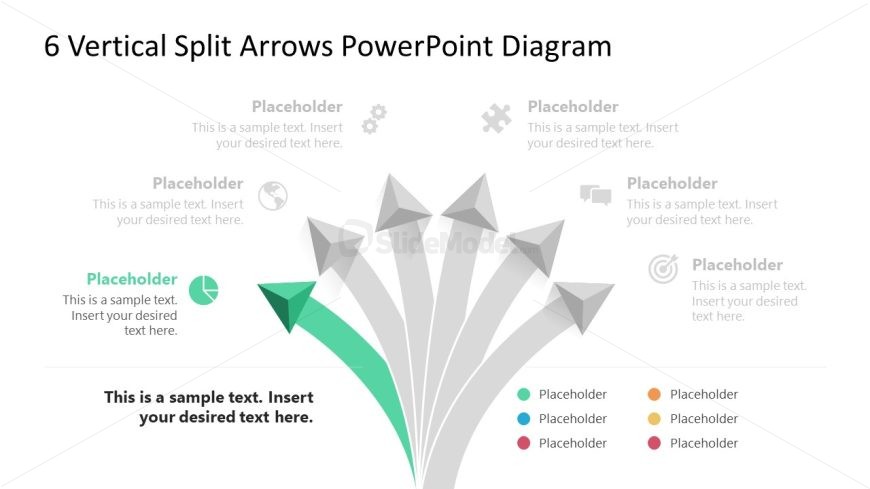
The Vertical Split Arrows Diagram slide from the 6-Vertical Split Arrows PowerPoint Template offers a clear process illustration with six vertically oriented arrows, ideal for business presentations that require milestone tracking or decision-making frameworks. This layout supports editable shapes and vector icons, enhancing clarity in slide decks focused on project planning or strategic overviews.
What’s on This Slide
The layout features six vertically oriented arrows diverging from a central point. The arrows are arranged in a fan-like structure, with the central arrow highlighted in green and larger than the others. Each arrow has a corresponding text placeholder positioned above or beside it, indicating where content can be inserted. The placeholders are aligned evenly, maintaining a clear visual hierarchy. The background is light, enhancing the visibility of the arrows and text. Icons are present near some placeholders, adding context to the content areas.
How to Use It
This layout serves as a process or milestone diagram, suitable for illustrating steps or options in a sequence. It fits well after problem framing slides, guiding the audience through proposed solutions. Real-world applications include project planning, marketing strategies, or product development processes. The clear visual separation of arrows allows for easy comprehension of different paths or outcomes, making it effective for presentations requiring decision-making frameworks or strategic overviews.
Text Placeholders & Capacity
Keep your copy within these limits so it fits without resizing. Node labels can hold up to 40 characters each, while the body paragraph can accommodate around 100 characters.
| Placeholder | Count | Max characters (approx.) |
|---|---|---|
| Item heading | 6 | 40 |
| Body paragraph | 1 | 100 |
Slide Keywords
Download unlimited PowerPoint templates, charts and graphics for your presentations with our annual plan.
DOWNLOADReturn to 6-Vertical Split Arrows PowerPoint Template.