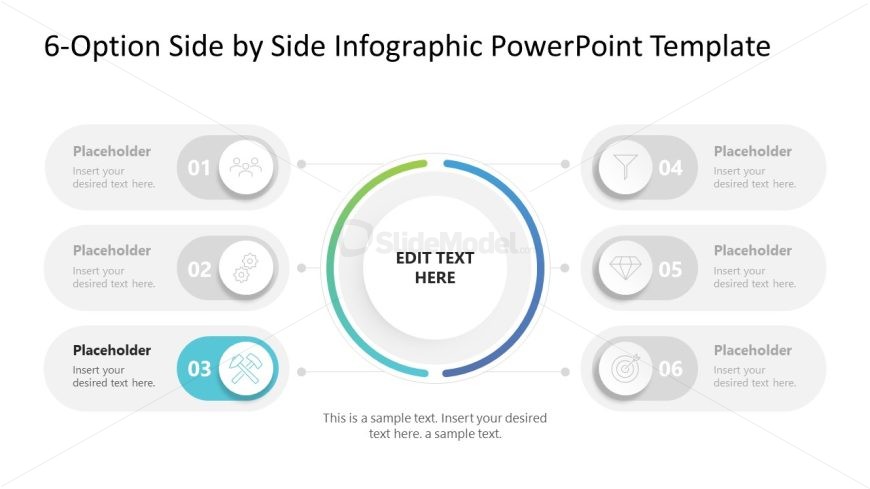
Slide 4 of 7 from 6-Option Side by Side Infographic PowerPoint Template
6-Option Side by Side Diagram Template with Icons
6-Option Side by Side Infographic Layout
- Diagram
- Comparison Split
- Comparison Slide
- 16:9
- 100% Editable
The 6-Option Infographic Layout from the 6-Option Side by Side Infographic PowerPoint Template offers a structured way to compare multiple options or steps using editable shapes and vector icons. This slide template supports clear communication of feature highlights or step-by-step processes within business presentations or pitch decks, ensuring balanced visual hierarchy and easy customization in both PowerPoint and Google Slides templates.
What’s on This Slide
The layout features a central circular graphic flanked by six circular icons arranged in two columns. The central circle contains a placeholder for text, surrounded by a colored ring indicating progression. Each side icon has a number and a placeholder for text, positioned above and below the icons. The icons are visually distinct, with varying shapes representing different concepts. The overall composition is balanced, with a clear visual hierarchy emphasizing the central text area. Background is white, enhancing clarity.
How to Use It
This layout serves as a multi-option infographic, ideal for presenting six distinct ideas or steps side by side. It fits well in a presentation sequence after introducing a problem or concept, providing a clear overview of solutions or options. This structure is useful in business contexts such as project planning, product features comparison, or strategic options analysis, allowing for easy visual differentiation of each option.
Text Placeholders & Capacity
Keep your copy within these limits so it fits without resizing. Node body slots can hold about 20-25 words each.
| Placeholder | Count | Max characters (approx.) |
|---|---|---|
| Item heading | 6 | 20 |
| Item body | 6 | 100 |
| Body paragraph | 1 | 150 |
Slide Keywords
Download unlimited PowerPoint templates, charts and graphics for your presentations with our annual plan.
DOWNLOADReturn to 6-Option Side by Side Infographic PowerPoint Template.