6-Item Cycle Infographic PowerPoint Template
The 6-Item Cycle Infographic PowerPoint Template is a creative diagram for presenting 6 steps process or cyclic process phases. Process diagrams are important, especially when showing complicated processes in a manageable way. Moreover, these diagrams reduce the time used to explain the processes in business or training presentations. For instance, our 6-item cyclic diagram can help business professionals in explaining their PDCA cycle of continuous improvement to their team members. It can also be used to present the product development lifecycle or customer journey, which typically has six phases. Likewise, other processes that are repetitive and continuous can be well explained using this infographic.
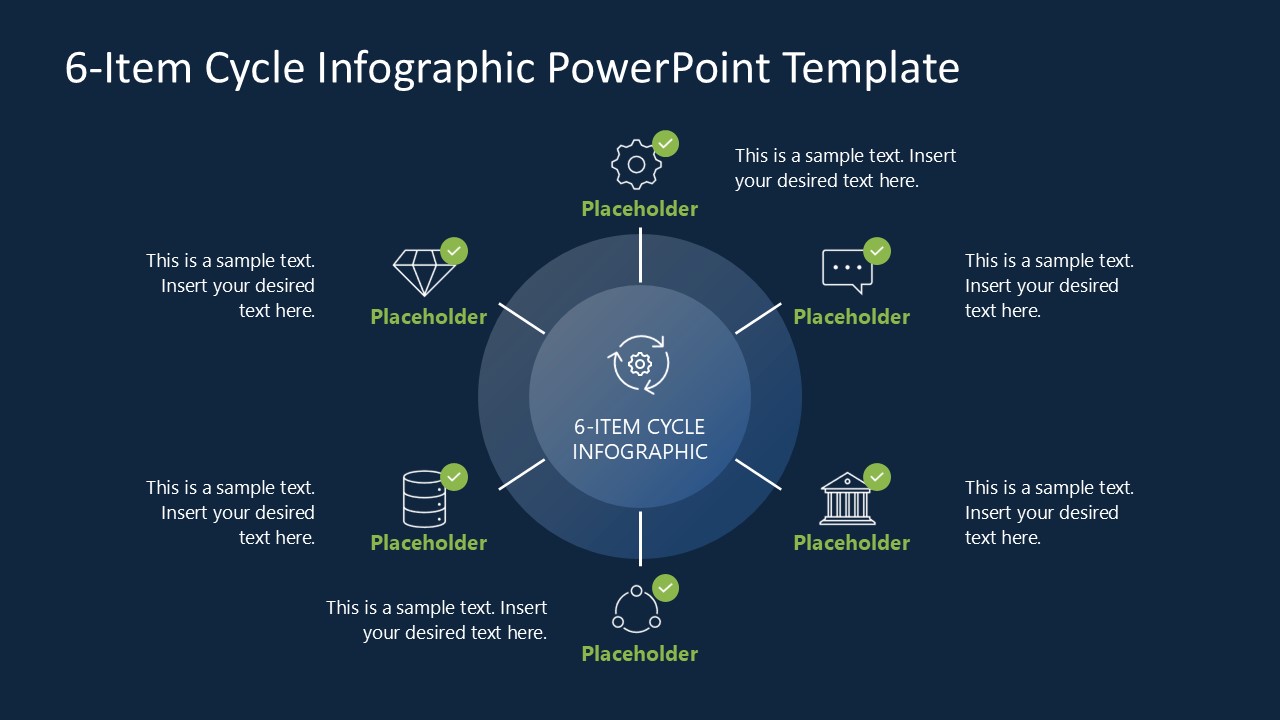
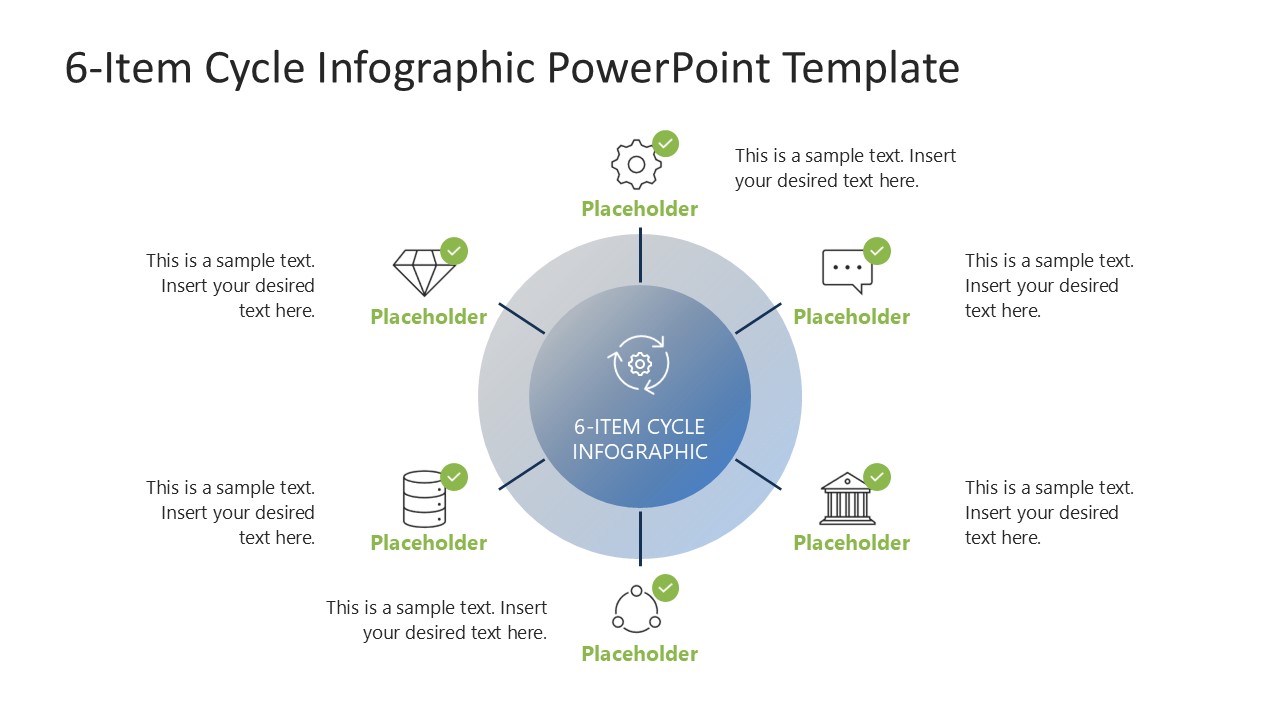
This 6-Item Cycle Infographic PowerPoint Template is a circular diagram with a core element showing the title and a cycle symbol. The core circular shape features a double-layer design with six short lines radiating outward from the center. These lines indicate the six steps of the process and lead to the title text for the step names and their relevant infographic icons. These icons also have small authentication tick marks. We have also provided text boxes to mention their descriptions or any relevant information. The icons can also be changed from the graphics tools menu of the PowerPoint toolbar. This one-pager PPT template is available in two background color variations; users can choose either to include in their presentations. Also, the colors on the slide (fonts, shapes, or icons) can be changed at the presenter’s discretion.
Both these slides can be edited with Google Slides and are ideal for webinars or online meeting presentations. Download and try this cycle infographic diagram for your business presentation today!
You must have an active subscription to download this file.
- Category
- Process Diagrams
- Rating
-


 Loading...
 - Size
- 16x9
- Item ID
- 23411-01
- Colors
Subscribe today and get immediate
access to download our PowerPoint templates.