Slide 9 of 10 from 6-Dimension 3 Groups PowerPoint Diagram Template
Group 2 Focus Slide – 6-Dimension 3 Groups Diagram Template
6-Dimension 3 Groups Circular Diagram
- Diagram
- Circular Cycle
- Process Slide
- 16:9
- 100% Editable
The 6-Dimension 3 Groups Circular Diagram slide from the 6-Dimension 3 Groups PowerPoint Diagram Template offers a clear visual framework for illustrating interconnected processes and strategic initiatives. This slide layout uses editable shapes and vector icons arranged in a circular format to emphasize relationships among multiple dimensions, making it suitable for business presentations and corporate slide decks that require concise summaries of project components.
What’s on This Slide
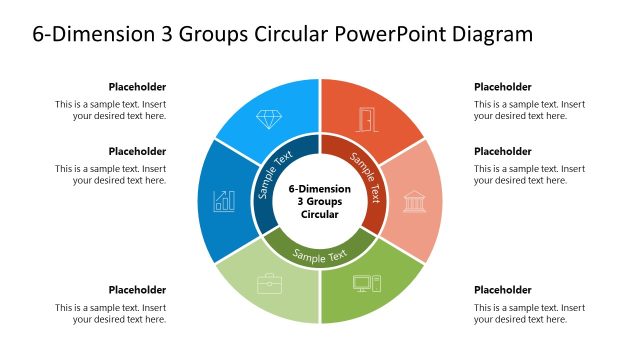
The layout features a central circular node labeled '6-Dimension 3 Groups Circular' surrounded by six outer segments. Each segment contains a sample text placeholder aligned to the left, right, or top. Icons are positioned above some segments, including a diamond, a chart, and a building. The outer segments are colored differently, with one segment highlighted in green. The overall structure is circular, emphasizing the relationship among the dimensions. Text placeholders are present in each segment, maintaining a consistent visual hierarchy.
How to Use It
This layout serves as a circular diagram to represent interconnected dimensions or groups. It is suitable for illustrating processes, frameworks, or models in business presentations. This slide fits well after problem identification and before detailing solutions, making it ideal for summarizing key elements. It can be used to showcase strategic initiatives or project components, providing a visual overview of complex relationships among different aspects of a topic.
Text Placeholders & Capacity
Keep your copy within these limits so it fits without resizing. Node body slots can hold up to 40 characters each.
| Placeholder | Count | Max characters (approx.) |
|---|---|---|
| Item body | 6 | 40 |
| Slide title | 1 | 50 |
| Callout | 6 | 40 |
Slide Keywords
Download unlimited PowerPoint templates, charts and graphics for your presentations with our annual plan.
DOWNLOAD